AI Legal Assistant for Small Business: How to Use AI for Contracts, Legal Questions, and Everyday Business Work
A restaurant owner reads a lease. A founder reviews an NDA. A consultant drafts a client agreement. Small businesses increasingly use AI before they ever speak with a lawyer. Here is how to do it well.
Key takeaways:
- An AI legal assistant helps you understand, organize, draft, and research. It is not a licensed attorney.
- Its biggest weakness is confidence: it can sound certain while being wrong.
- Give it your location and context, ask for sources, and keep evidence separate from interpretation.
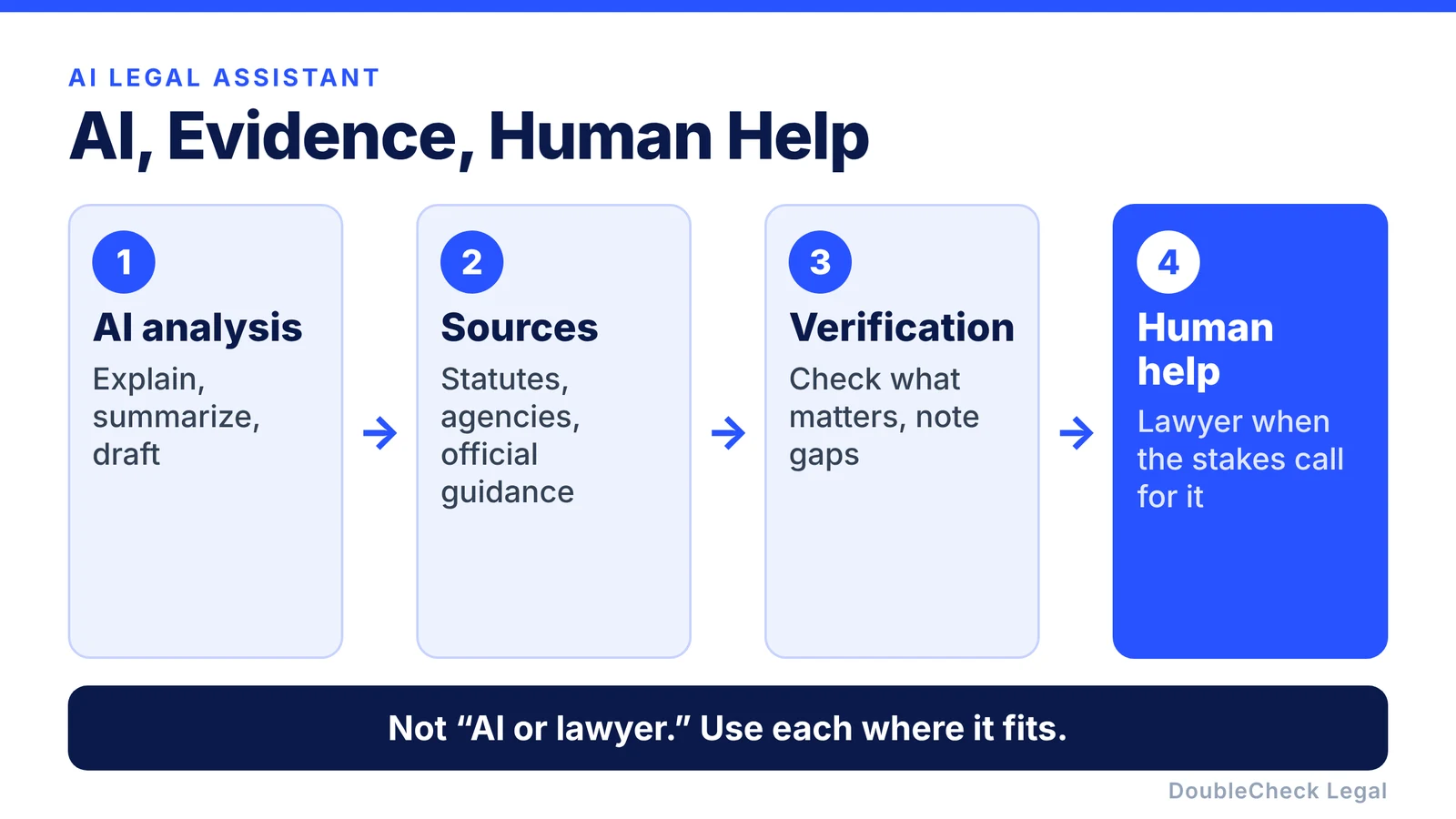
- Add a human when the cost of a mistake is high. A good workflow is AI → sources → verification → human help when necessary.
A restaurant owner might use AI to understand a lease. A software founder might ask it to review an NDA. A consultant might create a first draft of a client agreement. A local retailer might ask what documents are usually involved in hiring an employee.
This is essentially what people mean when they search for an AI legal assistant. It can help businesses understand, organize, draft, and research legal-related information. But it should not be confused with a licensed attorney.
What can an AI legal assistant do?
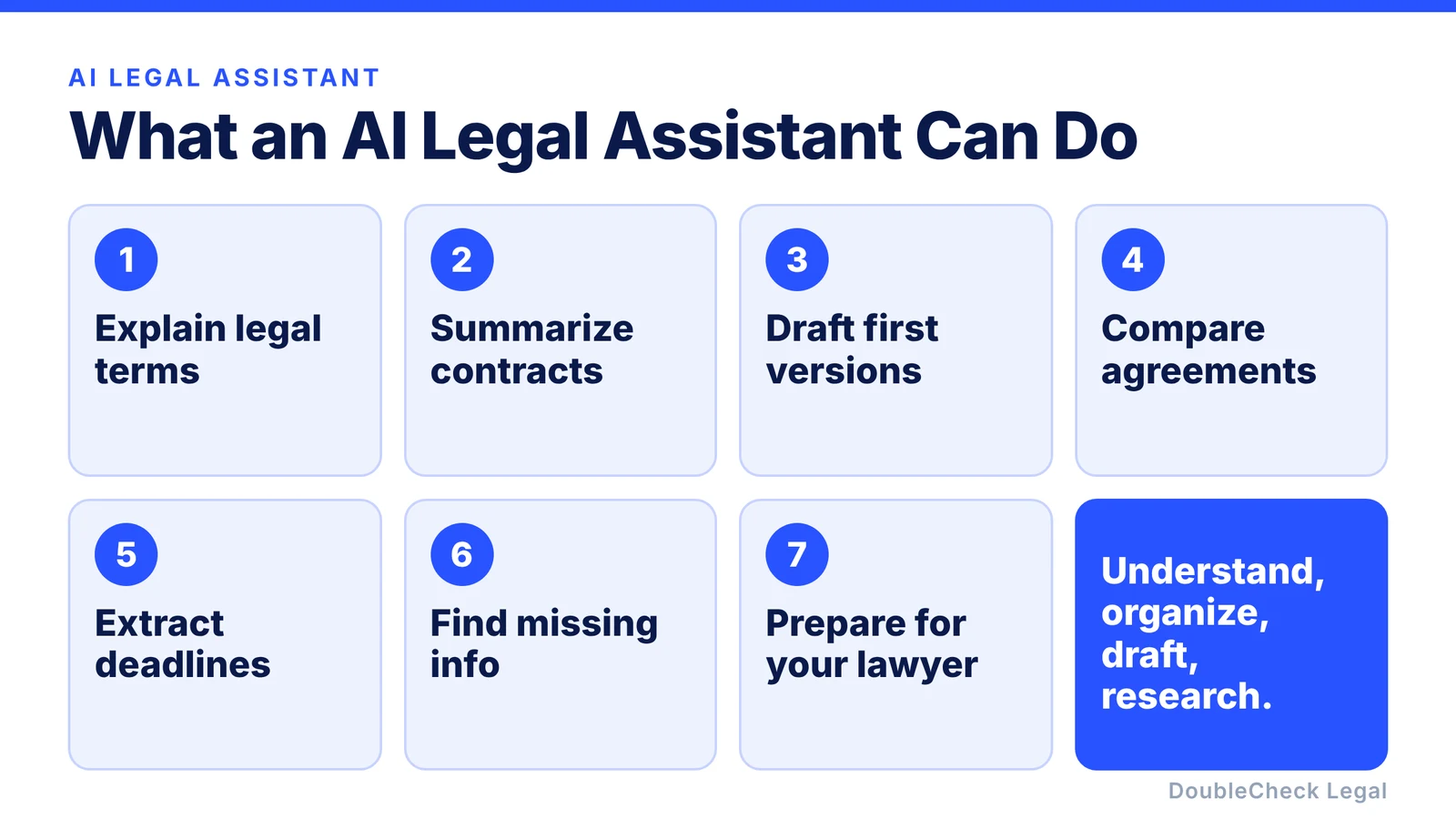
For everyday small-business work, AI can help with:
- explaining legal terminology,
- summarizing contracts,
- creating first drafts,
- comparing agreements,
- extracting deadlines,
- identifying missing information,
- preparing checklists,
- organizing documents,
- researching questions,
- and preparing for a conversation with a lawyer.
Imagine you own a small marketing agency and receive a 25-page customer agreement. Instead of beginning with page one, you could ask:
“Summarize the payment, termination, IP, confidentiality, liability, renewal, and indemnification provisions. Show me the exact sections you relied on.”
Now you have a structured first pass.
Use AI to understand the problem before trying to solve it
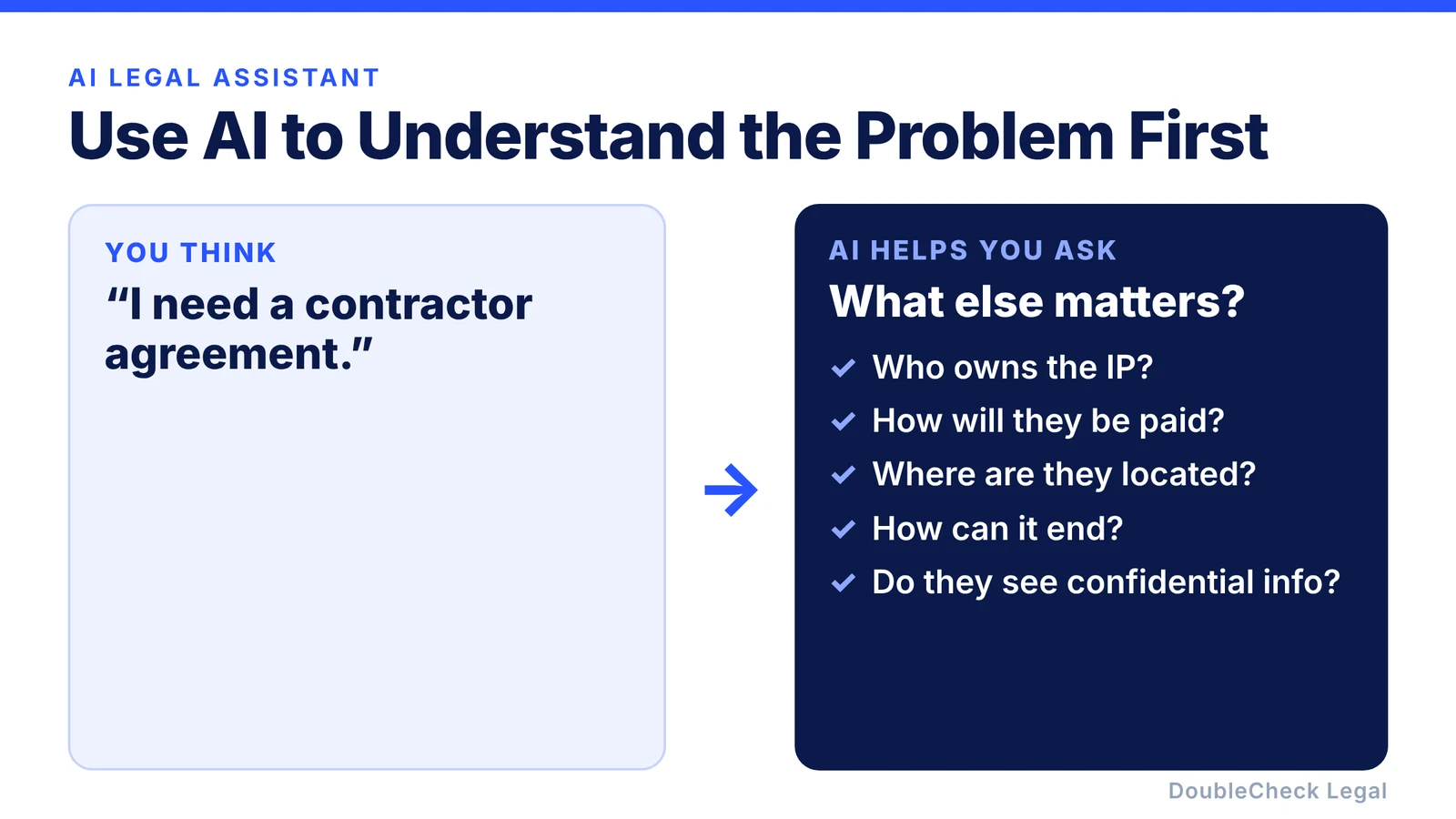
One of the most useful things AI can do is help you work out what you should actually be thinking about. Suppose you want to hire your first contractor. You might initially think, “I need a contractor agreement.” A good AI workflow can help you identify additional questions:
- What work will they perform?
- Who owns the resulting intellectual property?
- How will they be paid?
- Where are they located?
- How can the relationship end?
- Will they have access to confidential information?
- Are there classification issues you should investigate?
AI becomes useful not because it instantly provides a perfect legal answer, but because it makes the problem easier to navigate.
The main weakness of AI legal assistants: confidence
Modern AI systems are very good at producing confident, professional language. Unfortunately, confidence and accuracy are different things. An AI may:
- misunderstand your facts,
- cite an irrelevant rule,
- rely on outdated information,
- use the wrong jurisdiction,
- miss an exception,
- misread a document,
- or invent a source.
That makes verification particularly important for legal work.
Always provide the location
Many business rules depend on jurisdiction. Do not ask:
“Can I do this with an employee?”
Instead provide context:
“I own a 12-person business in California. The employee works in California. Here is the relevant agreement. What issues should I investigate, and what current authoritative sources should I check?”
Your location, company structure, employee location, contract terms, and industry can all affect the analysis.
Ask for the source behind the answer
A useful AI legal assistant should help you investigate one question: why does the AI believe this? For important claims, ask for:
- the relevant statute,
- regulation,
- government guidance,
- official agency material,
- a court decision where appropriate,
- or another authoritative source.
Then make sure the source actually says what the AI claims. A legitimate-looking link does not automatically mean the AI’s interpretation is correct.
Separate evidence from interpretation
A particularly useful format has two parts:
- Source or document: what the underlying material actually says.
- AI interpretation: what the model believes that information means for your situation.
That separation makes AI dramatically easier to verify. For example:
Contract: The agreement renews automatically for another year unless notice is provided 60 days before expiration.
AI observation: Your company may need to track the notice date if you do not want automatic renewal.
The first statement can be checked directly. The second is interpretation.
When should a business add a human?
The answer should depend on the stakes. Understanding a definition in a contract is different from making a decision involving:
- company ownership,
- financing,
- hiring or firing,
- valuable intellectual property,
- a major lease,
- a large customer agreement,
- regulatory exposure,
- or an active dispute.
The greater the cost of getting something wrong, the more verification you should add.
How DoubleCheck approaches the AI legal assistant
A normal chatbot is designed primarily to generate an answer. DoubleCheck is designed around what happens after the answer. The goal is to combine AI with:
- stronger sourcing,
- cross-checking,
- identification of missing context,
- structured document analysis,
- a clearer distinction between sources and AI interpretation,
- optional human verification,
- and attorney access when professional advice becomes appropriate.
Instead of asking you to choose between AI or a lawyer, the workflow becomes AI → evidence → DoubleCheck → human verification → lawyer if needed. For many small businesses, that is a more practical way to handle everyday legal work.
FAQ
What is an AI legal assistant?
An AI legal assistant is software that uses artificial intelligence to help with tasks such as legal research, document explanation, drafting, contract analysis, summarization, and organization.
Can an AI legal assistant write contracts?
It can create first drafts and revise existing agreements. Important contracts should still be checked for accuracy, jurisdiction, missing context, and suitability for the actual transaction.
Is an AI legal assistant the same as a lawyer?
No. AI software does not automatically provide the professional judgment, duties, representation, or accountability associated with a licensed attorney.
Can a small business use AI instead of paying a lawyer for every question?
AI can reduce the amount of preliminary work that requires professional help. Some consequential situations may still justify attorney review.
How can I check whether an AI legal answer is correct?
Ask for authoritative sources, confirm the jurisdiction and date, inspect the underlying material yourself, and add another review layer when the issue is important.
What is the safest workflow?
A strong general workflow is: question, AI analysis, authoritative sources, verification, and human review when warranted.
General information only. This article is not legal, tax, or accounting advice.