8 Ways Business Owners Can Use AI for Legal Work (With Prompts)
AI is useful for understanding, comparing, drafting, and preparing legal documents. The skill is knowing which uses are low-risk and when to verify. Here are eight practical uses, with prompts you can copy.
Key takeaways:
- The best uses are explaining, summarizing, comparing, drafting first versions, finding gaps, and preparing for an attorney.
- Give the AI the actual deal, not a one-line request.
- “What am I missing?” is a stronger prompt than “Is this okay?”
- Open the sources and read the original contract language for anything important.
- Match the review to the risk: ask what happens if the AI is wrong.
If you run a business, you probably already use AI for emails, research, spreadsheets, or code. Sooner or later the question comes up: can I use it for legal work too?
Yes, but how you use it matters. A good rule for a non-lawyer business owner: use AI to understand, prepare, organize, and draft, and be much more careful when you rely on it to make a legal decision.
What can a business owner use AI for?
Think of AI as a very fast assistant. It can move you from “I do not understand any of this” to “I understand the basic issue, I know what to ask, and I know what needs more attention.”
That is the real value. Here are eight practical ways to get it.
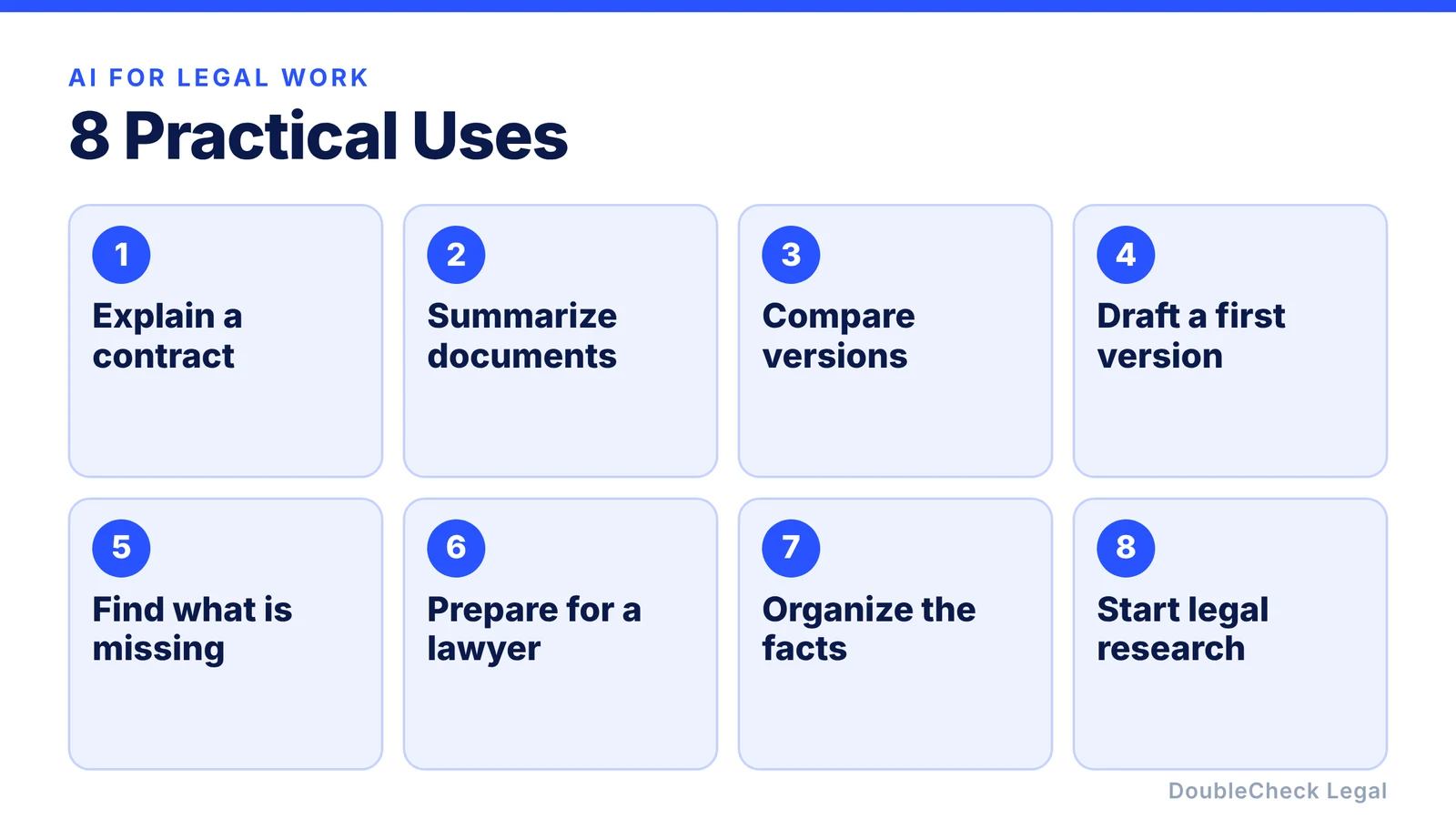
1. Ask AI to explain a contract in plain English
You receive a 20-page agreement from a customer. It mentions indemnification, limitation of liability, assignment, and consequential damages. Instead of searching each term, ask:
“Explain this contract to me as a non-lawyer business owner. Tell me what each major section does and which provisions could create meaningful obligations for my company.”
Then follow up:
“What happens if I terminate this contract early?”
“Which provisions continue after termination?”
“Explain this limitation-of-liability clause using a realistic example.”
Understanding what a clause says is not the same as knowing whether it is enforceable or right for your situation. That is where verification comes in.
2. Summarize long legal documents
AI can help you get through vendor agreements, commercial leases, employee handbooks, privacy policies, terms of service, customer contracts, and contractor agreements. Ask for structure:
“Summarize this agreement and give me the 10 things a business owner should understand before signing it.”
“Create a table of every payment obligation, deadline, renewal date, termination right, and notice period.”
Do not assume the summary caught everything material. If something matters, go back to the original language.
3. Compare two versions of a contract
When a customer returns a revised contract, you do not have to compare every paragraph by hand:
“Compare these two versions. Identify every material change and explain which changes increase my company’s obligations or reduce its rights.”
“Which five changes deserve the most attention?”
AI should help you find and understand the changes. If the contract is important, an attorney can help determine what those changes mean legally.
4. Draft a first version of a contract
AI can produce a useful first draft of routine documents such as NDAs, freelancer agreements, consulting agreements, simple service agreements, offer letters, and website policies. The quality depends on what you give it. Do not ask for “a contractor agreement.” Describe the deal:
“I run a California software startup. I am hiring a freelance designer for three months at $6,000 per month to redesign our mobile onboarding and dashboard. The agreement should cover deliverables, two rounds of revisions, confidentiality, ownership of the work, pre-existing materials, payment, termination, and contractor status. Tell me what information you still need.”
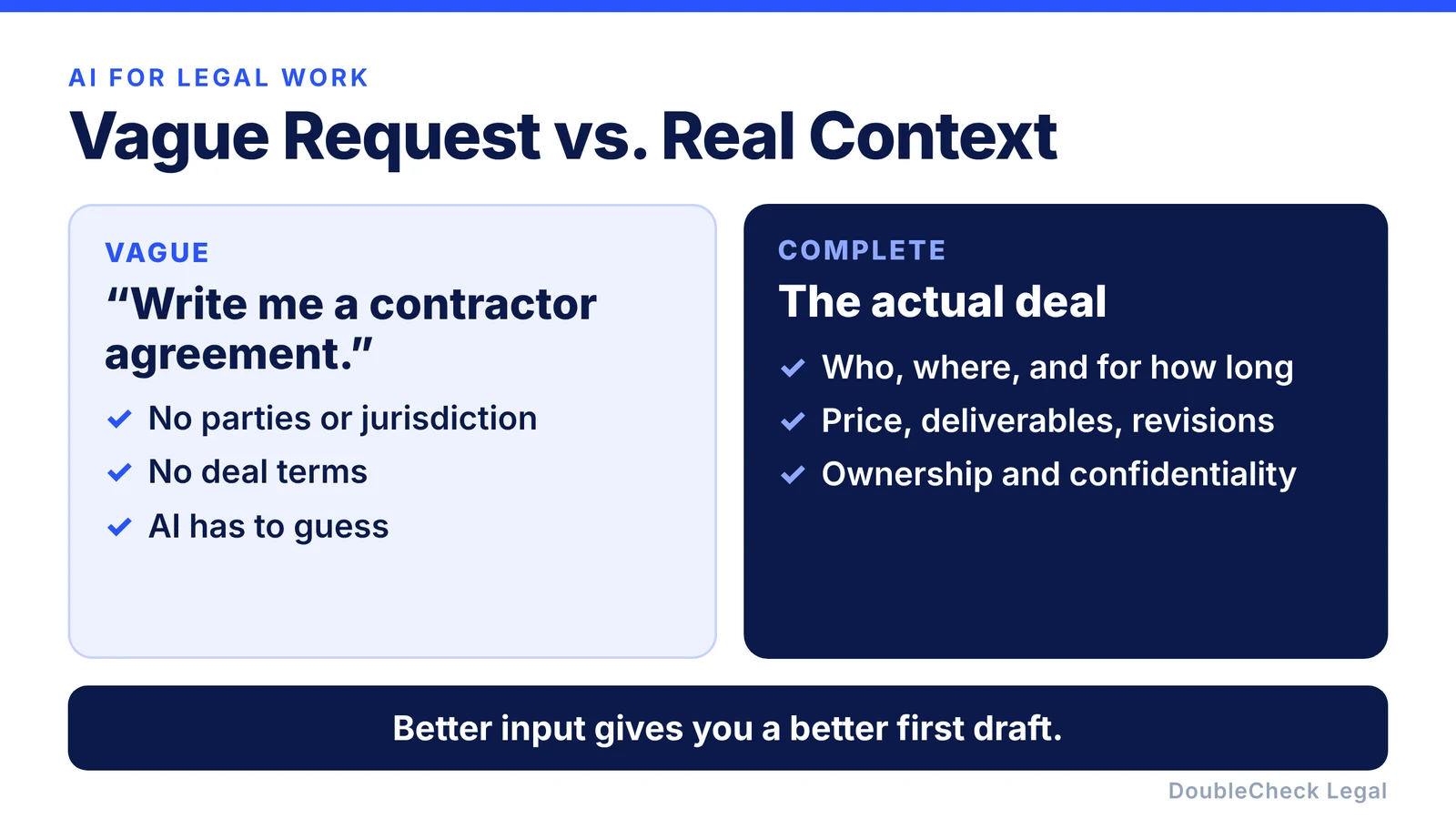
Then ask: “What assumptions did you make?”, “Which provisions depend on California law?”, and “Review this from the freelancer’s side and identify ambiguities.” For step-by-step help with two common documents, see our guides to writing an NDA and writing a freelance contract.
5. Ask AI what you are missing
One of the strongest prompts is not “Is this okay?” It is:
“What am I missing?”
A few variations:
“I am about to sign this software vendor agreement. Identify issues a small business owner might overlook.”
“What facts would you need before reaching a conclusion?”
“List every assumption you are making.”
“Assume your previous answer is wrong. What are the strongest reasons it could be wrong?”
These prompts push the AI away from simply producing a confident answer.
6. Prepare before speaking with an attorney
AI can make a consultation more productive. Beforehand, use it to summarize the problem, build a timeline, organize documents, list your main concerns, draft questions, and explain unfamiliar terms.
Instead of “I have a contract problem,” you can say: “My biggest questions are the IP ownership clause, the unlimited indemnification language, the termination provision, and whether the customer can use our technology outside this agreement.”
That gives the attorney a better starting point and helps you use their time well. If you already have an AI-drafted contract, our guide to finding a lawyer to review a contract you drafted with ChatGPT covers what to send and what to ask.
7. Organize the facts of a legal problem
Legal questions often turn on details. Say you have a disagreement with a vendor. Provide the relevant emails, contract, invoices, and dates, then ask:
“Create a chronological timeline of everything that happened. Separate confirmed facts from assumptions and identify any missing information.”
The same approach works for employment issues, contract negotiations, customer disputes, and corporate records. Consider confidentiality before uploading sensitive material (more on that below).
8. Use AI as the start of legal research, not the end
You can ask:
“What California rules might apply to this?”
“What government sources should I review?”
“What statute are you relying on? Show me the source for this conclusion.”
Then actually open the source. AI can give a citation that looks convincing but does not support the answer. It can also misread an exception, rely on outdated information, or apply a rule from the wrong jurisdiction.
Ask AI, request sources, open the sources, verify the important claim. For higher-risk issues, add professional review after that.
Match the review to the risk
Not every task needs the same amount of checking.
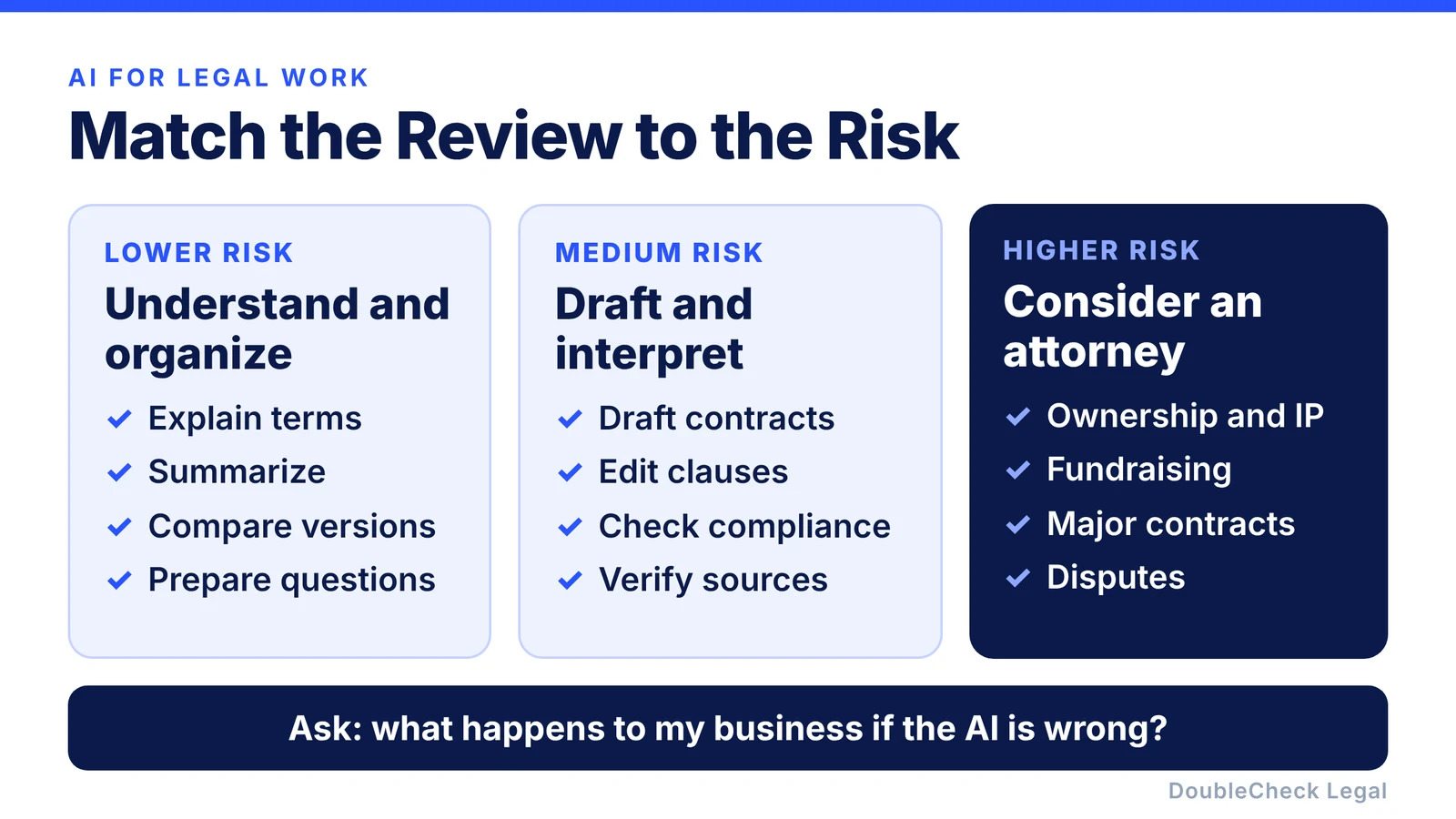
Lower risk: explaining terminology, summarizing, organizing information, comparing versions, preparing questions, building checklists. A mistake here is usually easier to catch.
Medium risk: drafting contracts, changing existing language, negotiating provisions, writing company policies, researching compliance, interpreting obligations. These benefit from a second AI review, source checking, or professional verification.
Higher risk: consider an attorney when the issue could materially affect ownership of the company, intellectual property, employees or worker classification, fundraising or securities, major customer or vendor contracts, significant liability, disputes, regulatory obligations, taxes, a sale or acquisition, or large sums of money.
The question to ask is simple: what happens to my business if the AI is wrong? The bigger the consequence, the stronger the verification should be. Our guide on using AI for small business legal work safely goes deeper on hallucinations and outdated information.
Think before you upload confidential information
Legal documents can contain customer information, employee data, financial details, source code, trade secrets, unreleased products, or acquisition plans. Before uploading, understand the AI service you use, its settings and retention policies, and your company’s own confidentiality requirements. Where you can, remove unnecessary personal or sensitive details first.
A simple AI legal workflow
You do not need a complicated system:
- Give complete context: your business, jurisdiction, transaction, goals, and concerns.
- Ask AI for the first task: summarize, compare, draft, research, or organize.
- Ask what it missed: assumptions, missing facts, uncertainties, alternative readings.
- Verify what matters: read the contract language yourself and check authoritative sources.
- Add another layer when the stakes are high: another AI model, more research, or an attorney.
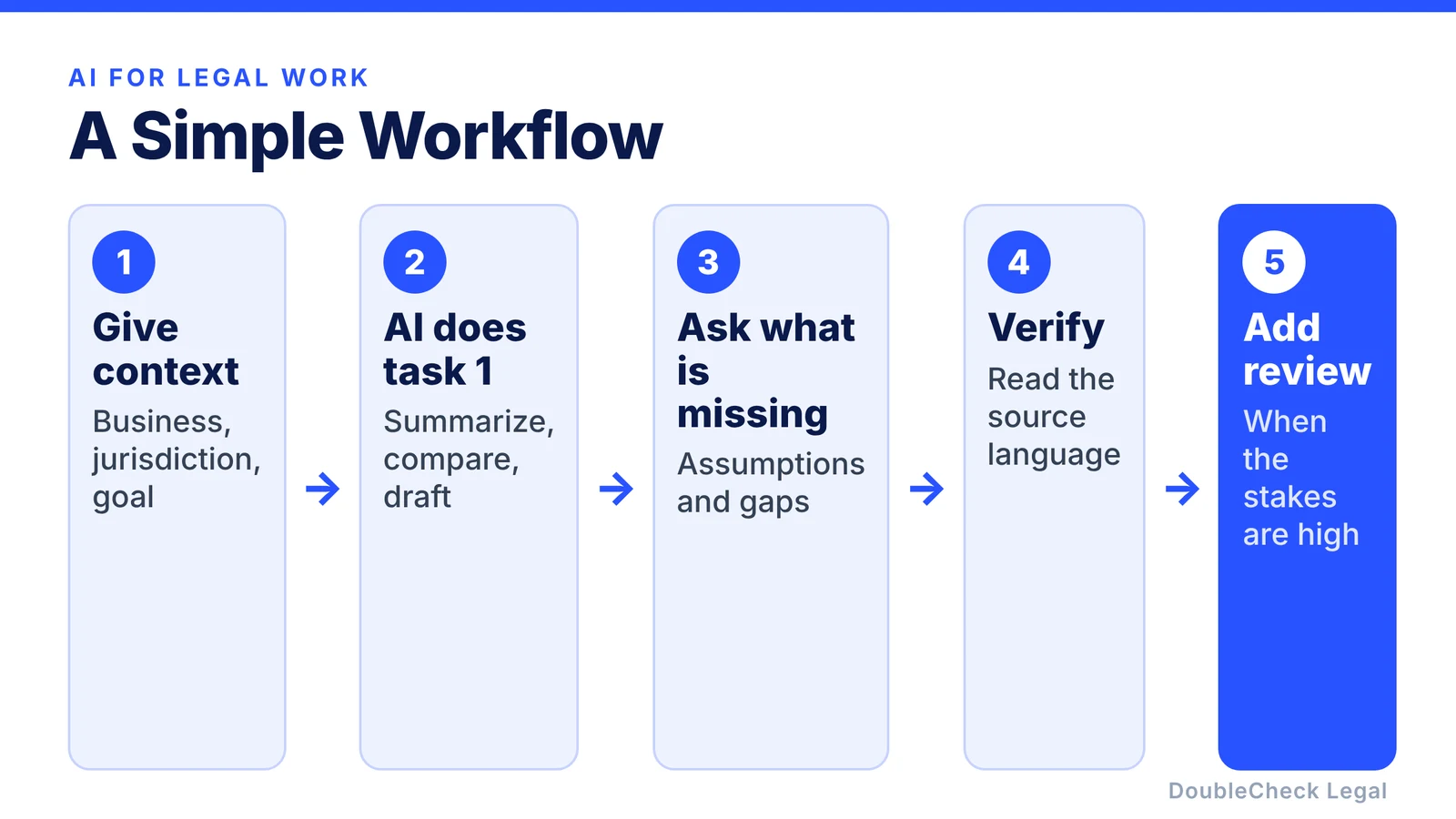
Think AI prepares, you understand, an attorney verifies when needed, rather than AI answers, I rely on it.
Where DoubleCheck fits
DoubleCheck is built around this workflow. You may already have a contract drafted in ChatGPT or Claude and understand most of it. What you often need next is a way to double-check the work and, when warranted, bring in an attorney.
You can start with your existing question, context, or document and move toward professional review when the issue calls for it. DoubleCheck’s attorneys are independent professionals, and an attorney-client relationship is formed only if an attorney accepts the engagement.
Use AI where AI is useful. Use attorneys where professional judgment matters.
FAQ
Can a business owner use ChatGPT for legal work?
Yes. ChatGPT and other AI tools can help business owners understand documents, draft first versions, compare contracts, organize facts, and prepare for a conversation with an attorney. Important conclusions should still be verified.
Can I use AI to draft a business contract?
AI can produce a useful first draft of many routine business contracts. Give it the parties, jurisdiction, deal terms, obligations, and your goals, then review the result carefully. Higher-value or unusual contracts may justify professional review before signing.
Is AI legal advice?
An AI-generated answer should not automatically be treated as personalized legal advice from an attorney who understands your circumstances. AI can provide information and analysis, but it can make mistakes or miss important context.
Should I have a lawyer review an AI-generated contract?
The more important the agreement, the more valuable professional review becomes. Contracts involving significant money, intellectual property, employment, financing, liability, regulation, or long-term obligations deserve particular attention.
How can I make AI-generated legal answers safer?
Provide complete context, specify the jurisdiction, ask the AI to list its assumptions, request sources and open them, compare the answer with another source or model, and involve an attorney when the cost of an error is significant.
Can AI replace a business lawyer?
AI can reduce routine preparation and explanation. Legal judgment, strategy, negotiation, and advice on consequential or highly specific situations may still call for a qualified attorney.
General information only. This article is not legal, tax, investment, or accounting advice.