How to Find a Lawyer to Review a Contract You Drafted With ChatGPT
Drafting a contract with AI can save hours. But a contract that looks professional is not automatically one that works. Here is how to get a lawyer to review it quickly, and affordably.
Key takeaways:
- Polished is not the same as ready to sign. AI can miss context, misread your jurisdiction, or write clauses that conflict.
- Improve the draft first: give the AI full context, then ask it to critique its own work.
- Hire a lawyer who regularly handles that specific type of contract.
- Tell the lawyer AI wrote the first draft, and send a short summary of the deal along with it.
- Ask for a focused review, and ask the lawyer to explain every change.
Drafting a contract with ChatGPT, Claude, Gemini, or another AI can save a small business a lot of time. You can create a first draft of an NDA, consulting agreement, customer contract, contractor agreement, partnership document, or other business agreement in minutes.
But there is an important difference between two statements:
“This contract looks professional.”
and:
“This contract actually works for my business.”
AI can miss important context, use outdated language, misunderstand your jurisdiction, or create clauses that conflict with each other. That is why one practical workflow is:
Draft with AI → review it yourself → verify the important points → ask a lawyer to review the final draft.
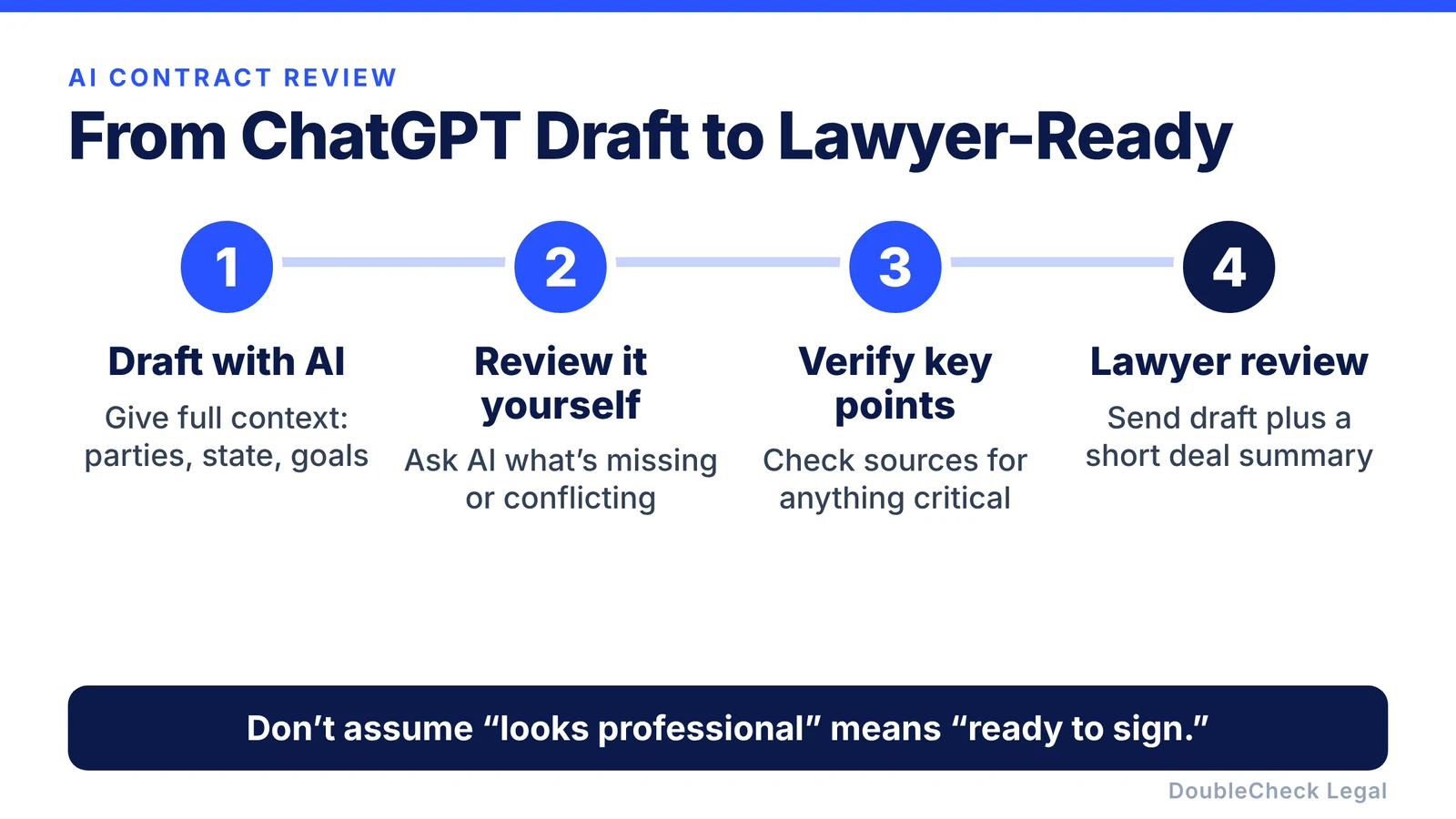
Here is how to do it efficiently.
1. Get the AI draft as complete as possible first
Before sending your contract to a lawyer, improve the draft yourself. Tell the AI:
- what your business does,
- who the other party is,
- what the agreement is supposed to accomplish,
- what state your business operates in,
- what you are most concerned about,
- and any terms you have already negotiated.
For example, instead of asking:
“Draft a consulting agreement.”
try:
“Draft a consulting agreement for my California software company hiring an independent designer for a three-month project. I want clear payment terms, confidentiality, IP ownership, termination rights, and deliverables.”
The better the context, the more useful the first draft will be.
2. Ask AI to review its own work
Before finding a lawyer, use AI for a second pass. Ask questions such as:
- What information is missing?
- Which clauses depend on my state?
- Are any provisions inconsistent?
- Which sections deserve professional review?
- What assumptions did you make?
- What could create the biggest risk for my business?
You can also ask a different AI model to critique the first model’s draft. That does not make the document legally verified, but it can surface obvious issues before you pay for professional time.
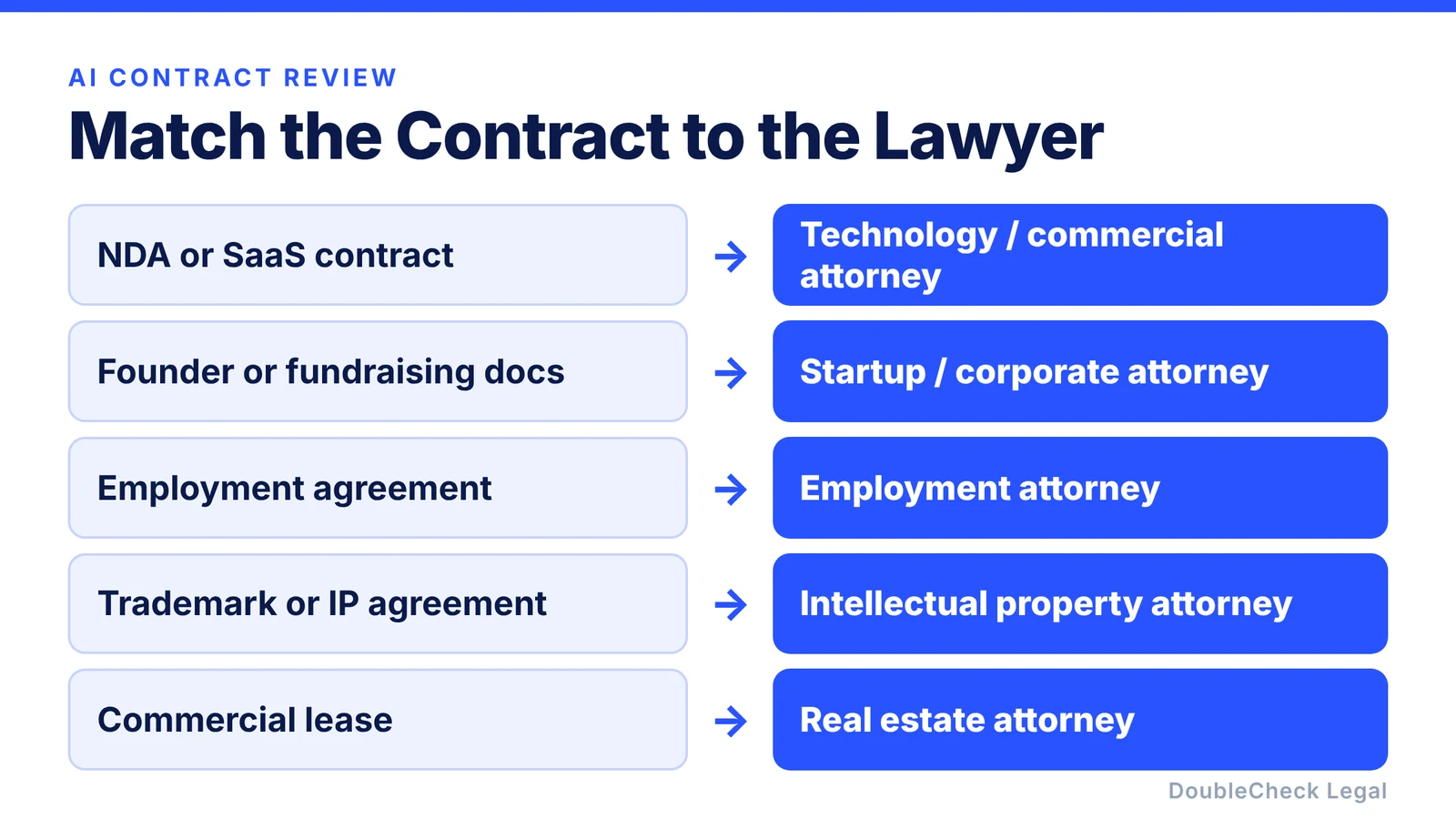
3. Find a lawyer who works on that specific type of contract
You usually do not need just “a lawyer.” You want someone familiar with the specific work. A lawyer who regularly reviews the type of agreement you created can often spot problems much faster than someone starting from scratch.
4. Tell the lawyer that AI created the first draft
There is little reason to hide it. You can simply say:
“I created this initial draft using AI. I would like you to review it for important issues, missing provisions, inconsistencies, and anything that may not work under the applicable law.”
That gives the attorney a clear job. You are not necessarily asking them to create an entirely new contract. You are asking them to review and improve an existing draft, which can be a much more efficient use of legal help for a small business.
5. Send the lawyer context, not just the contract
A contract cannot always be reviewed properly without understanding the deal behind it. Along with the draft, give the lawyer a short summary.
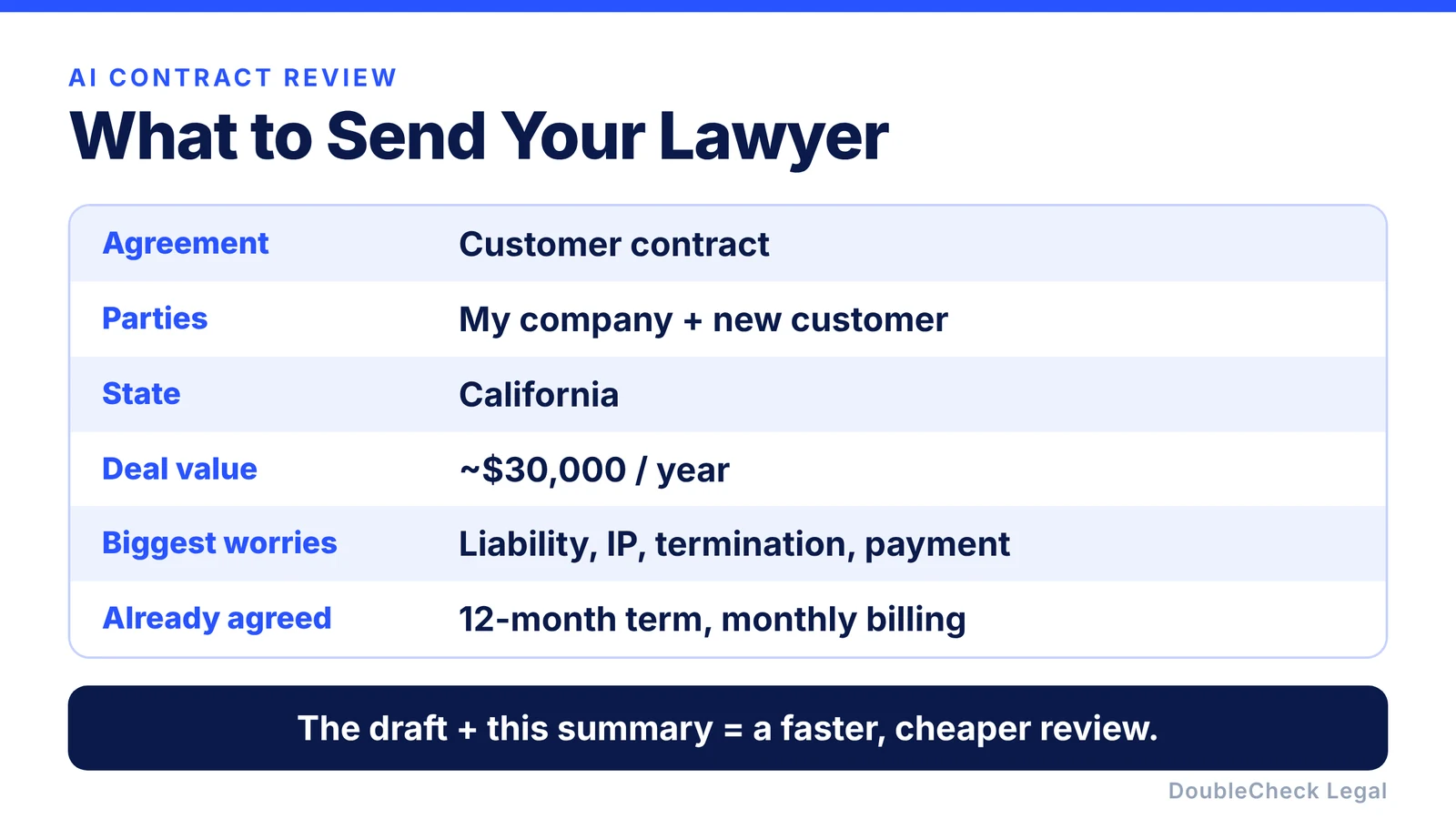
For example:
- What is the agreement? Customer contract.
- Who are the parties? My software company and a new business customer.
- What state applies? California.
- What is the value of the deal? Approximately $30,000 annually.
- What am I most worried about? Liability, IP ownership, termination, and payment.
- What did the other side already agree to? A 12-month term and monthly billing.
This helps the lawyer focus on what actually matters instead of reconstructing the transaction from the document alone.
6. Ask for a focused review
Be specific about what you want. You can ask:
“Please identify the five most important issues.”
Or:
“Please review this mainly for liability, termination, payment, confidentiality, and IP ownership.”
Or:
“Tell me what you would change before I sign this.”
You can also ask whether the attorney offers a fixed-fee contract review rather than open-ended hourly work. For a relatively contained document, that can make the cost easier to understand in advance.
7. Ask the lawyer to explain the changes
Do not just accept a redline without understanding it. Ask:
- Why was this changed?
- What risk does this clause create?
- Is this a legal requirement or a negotiation preference?
- What happens if I leave the original language?
- Which issues are actually important?
This is one of the biggest advantages of combining AI with an attorney. AI can help you learn the terminology first, while the attorney helps you understand where professional judgment matters.
A better workflow for AI-generated contracts
For many founders and small businesses, contract drafting may look less like:
Ask a lawyer to draft everything from zero
and more like:
AI first draft → AI verification → sources → lawyer review of the important parts.
That can make the process faster and help you arrive much better prepared. The important point is not to assume that because AI generated a polished contract, the contract is ready to sign.
Using DoubleCheck after drafting a contract with AI
This is the workflow DoubleCheck is designed around. You can bring in a contract you drafted with ChatGPT or another AI and use DoubleCheck to:
- analyze the document,
- identify missing information,
- surface relevant sources,
- cross-check parts of the AI output,
- flag sections that deserve more attention,
- and optionally add human review.
If you ultimately want professional legal advice, you can also choose to connect with a lawyer.
The idea is simple: use AI to do more of the preparation, then use verification and human expertise where it matters.
FAQ
Can a lawyer review a contract I drafted with ChatGPT?
Yes. You can give an attorney an AI-generated draft and ask them to review, revise, or redline it. Tell them how the document was created and what you want checked.
Should I tell the lawyer I used ChatGPT?
Generally, yes. Being transparent lets the lawyer know the document may not come from a jurisdiction-specific or attorney-approved template, and it helps them understand the type of review needed.
What should I ask a lawyer to review in an AI-generated contract?
Ask them to look for missing provisions, conflicting terms, jurisdiction-specific issues, unusual obligations, and the provisions most important to your deal, such as liability, payment, termination, and intellectual property.
Is it cheaper to draft a contract with AI and then have a lawyer review it?
It can be more efficient, because the attorney starts with an existing draft and context rather than creating everything from scratch. Actual fees depend on the document, the lawyer, the complexity, and how much revision is required.
Can ChatGPT replace a lawyer for contract drafting?
AI is useful for first drafts, explaining language, and preparing questions. It cannot guarantee that a contract is appropriate for your specific business, transaction, or jurisdiction.
What is the safest way to use AI for a contract?
A practical workflow is to draft, identify missing information, verify sources, review the important clauses, and get professional help when the consequences of an error are significant.
General information only. This article is not legal, tax, or accounting advice.