Terms and Conditions Generator for Small Business: How to Create Website Terms With AI
Every website, store, app, or SaaS eventually needs terms and conditions. AI can write a first draft fast, but only if it knows how your business really works.
Key takeaways:
- Start with your business facts (pricing, cancellations, refunds, content, liability), not with “write my terms.”
- Ask the AI what it still does not know before it drafts.
- Cross-check every promise in the terms against what your product actually does.
- Separate business decisions, legal requirements, and AI suggestions, and verify the legal ones.
A founder launching a website, online store, marketplace, app, or SaaS company often reaches the same point: “I need terms and conditions. What am I supposed to put in them?”
AI can make creating a first draft much easier. But copying generic terms, or asking AI to produce them without context, can create a document that looks professional without accurately describing the business. Here is a better process.
Step 1: Explain what your business actually does
Do not start with “Write my terms and conditions.” Start with the business. For example:
“I run a subscription SaaS product in the United States. Customers create accounts and pay monthly through Stripe. Businesses upload documents for analysis. Customers can cancel their subscription, and we offer a 14-day trial.”
That gives the AI information it can actually work with.
Step 2: Explain who uses the product
Terms for a consumer app may be different from terms for a B2B software service. Tell the AI:
- who the customer is,
- whether users create accounts,
- whether minors can use the service,
- where customers are located,
- whether businesses or consumers pay you,
- and what customers can do inside the product.
This context can materially change what needs to be considered.
Step 3: Map the commercial relationship
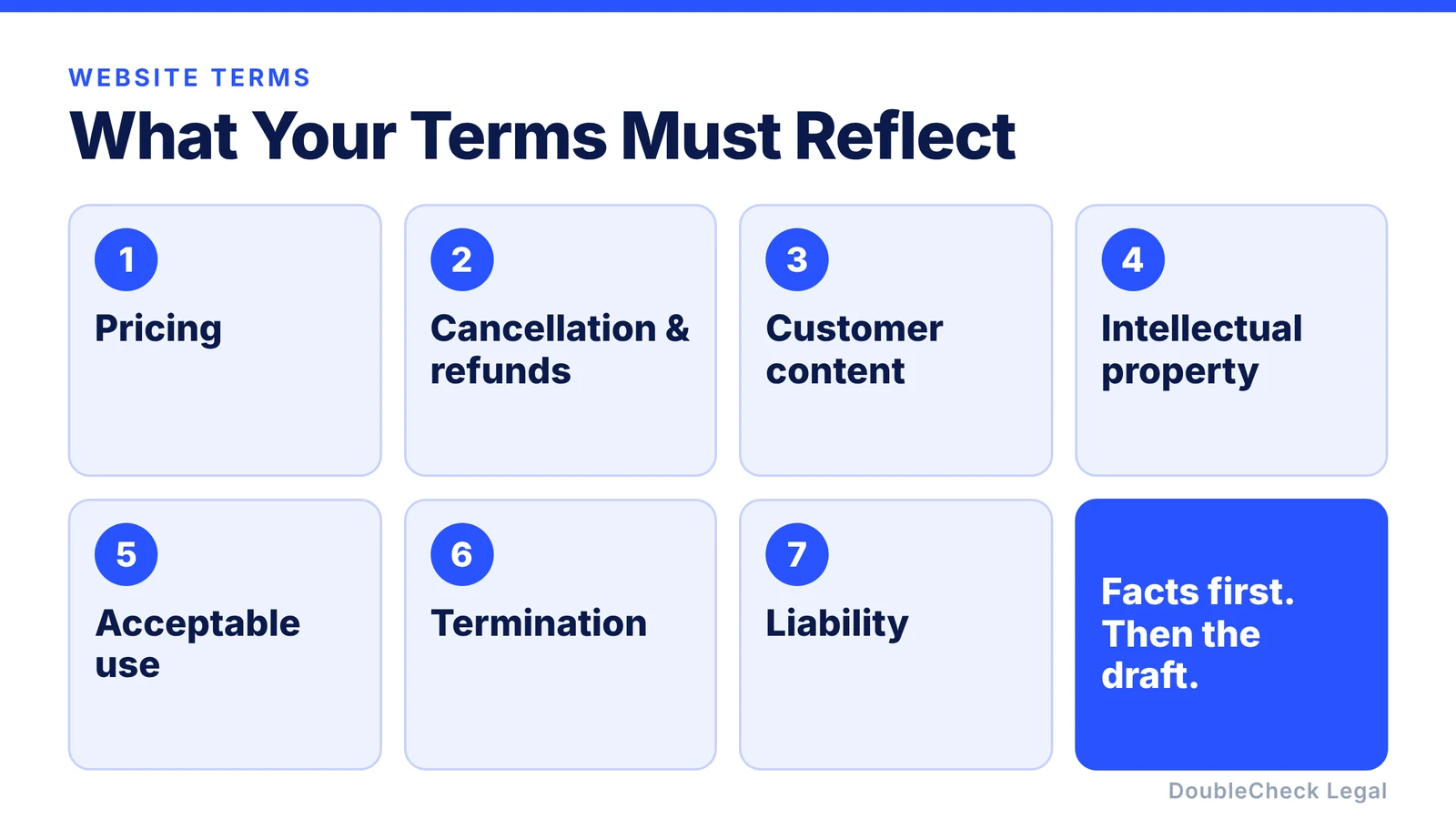
Your terms should correspond to how the business actually operates. Work through each area:
- Pricing: monthly, annual, usage-based, or a transaction fee?
- Cancellation: immediate or at the end of the billing cycle?
- Refunds: available, or generally non-refundable?
- Customer content: can customers upload files or information?
- Intellectual property: who owns customer-created content?
- Acceptable use: what activity is prohibited?
- Termination: when can the company suspend or close an account?
- Liability: what limitations are being proposed?
AI needs these facts before it can create a meaningful draft.
Step 4: Ask AI what it still does not know
Before generating the terms, ask:
“What information is missing that would materially change these terms?”
This is an excellent safeguard. The AI might realize it does not know:
- whether you have free trials,
- how refunds work,
- whether user-generated content is public,
- whether customers can upload confidential data,
- whether you sell internationally,
- or what state law is intended to govern the agreement.
That is much better than allowing the model to silently guess.
Step 5: Generate the first draft
Once the relevant business context has been established, generate the terms. Then ask for a structured summary in this form: section → purpose → business assumption → issue to verify.
For example, for subscription renewal: the section explains recurring billing, the assumption is monthly auto-renewal, and the item to verify is that the cancellation mechanics match your Stripe setup and product behavior. This turns a large legal document into something a business owner can actually inspect.
Step 6: Cross-check the terms against your real product
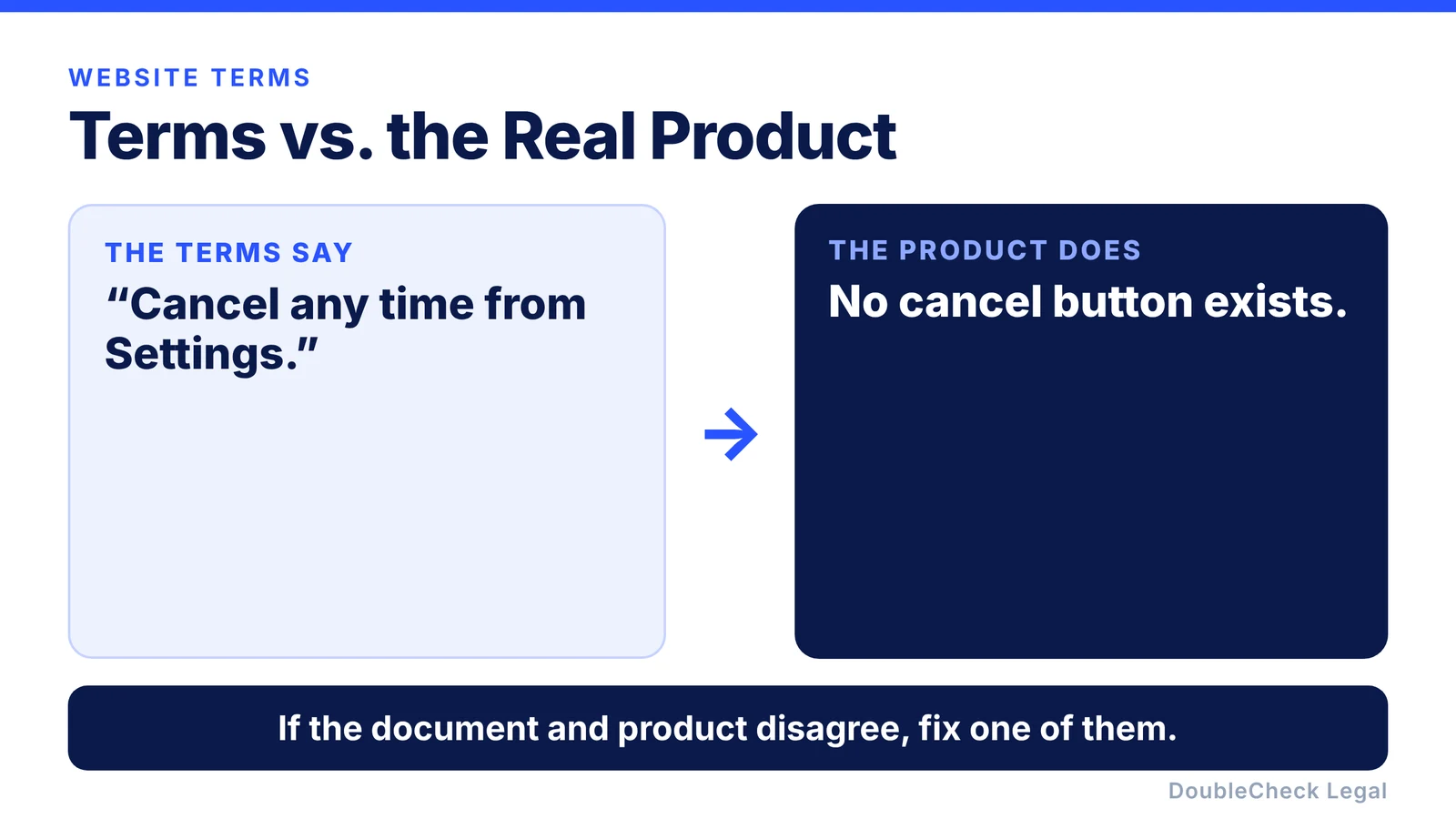
One of the most important steps happens outside the document. Does your website actually behave as the terms say?
If your terms state “You can cancel your account at any time from Settings,” but no cancellation button exists in Settings, there is a mismatch. If they say “We do not allow users to upload confidential information,” but the product is specifically designed for uploading business documents, there is another mismatch.
Do not treat the terms as fictional boilerplate. They should correspond to the real service.
Step 7: Check important external legal claims
AI may suggest language based on legal concepts or jurisdiction-specific requirements. Those claims deserve verification. Ask:
“Which sections of these terms depend on law rather than our business choices?”
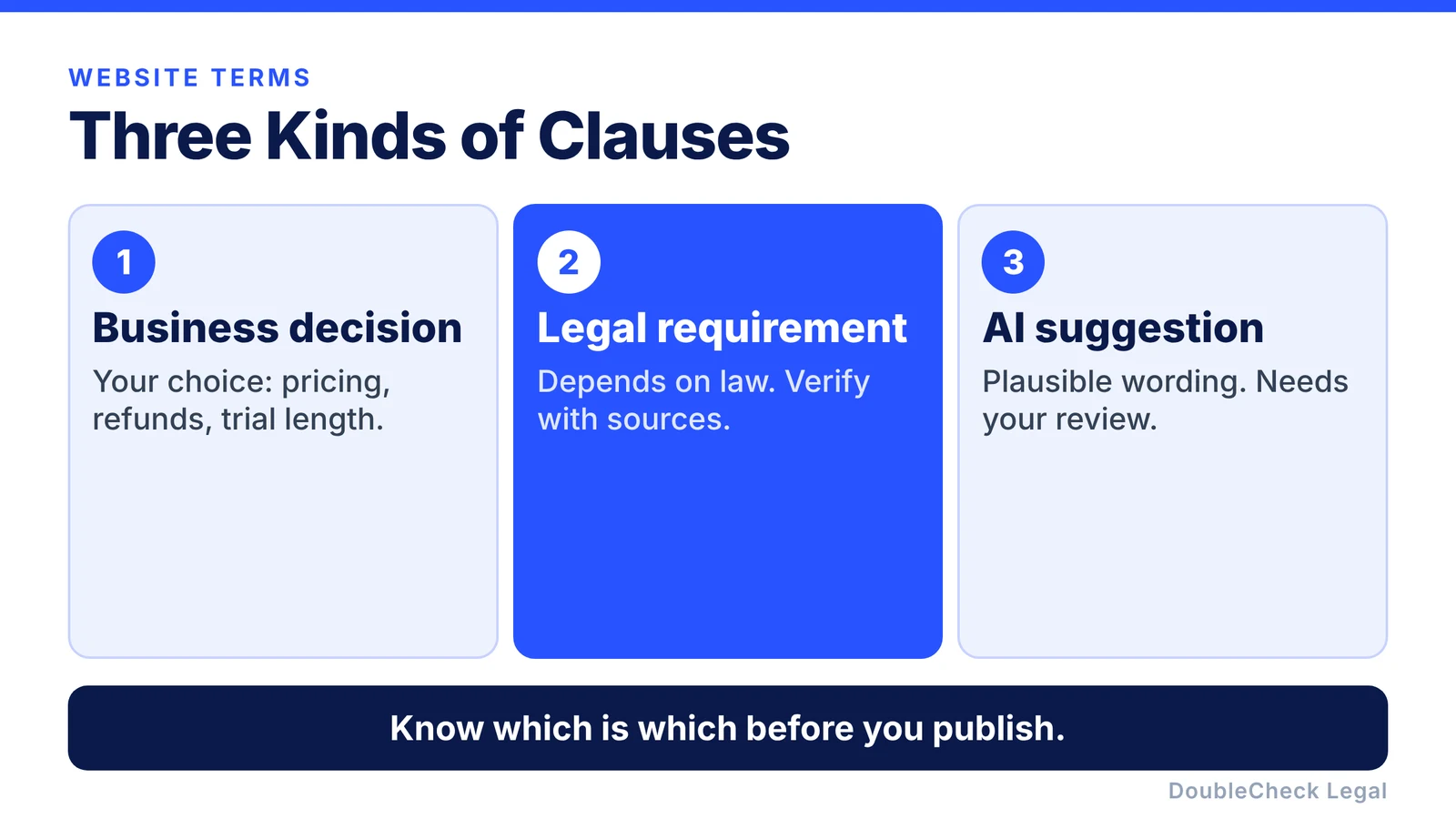
Then request authoritative sources for those points. This helps you distinguish a business decision from a legal requirement from an AI suggestion. Those are not the same thing.
Terms generator vs. lawyer: does it have to be one or the other?
No. Many founders face exactly this choice: use a generator first, or pay for custom legal drafting before the company has meaningful traction. A more flexible approach is possible: AI creates structure → the business confirms facts → sources are checked → a human reviews important areas if necessary.
A business does not necessarily need to start every routine document from a blank page with a lawyer. But neither should it assume a generated document is correct simply because it contains legal language.
How DoubleCheck fits into the workflow
This is where DoubleCheck can provide something different from a simple terms generator. Instead of “questionnaire → document → done,” the workflow becomes business context → AI draft → missing-information check → sources → cross-check → human verification if needed. DoubleCheck can help businesses work through:
- the underlying questions,
- the document structure,
- sources supporting important claims,
- missing information,
- inconsistencies,
- and issues that deserve another review layer.
If the situation becomes sufficiently important or unusual, speaking with a lawyer remains an optional next step. The goal is not simply to produce terms faster. It is to make the business owner better informed about what those terms actually say and why they are there.
FAQ
What is a terms and conditions generator?
A terms and conditions generator helps create website or application terms based on information about the business, service, customers, payments, accounts, and other product characteristics.
Can ChatGPT create terms and conditions?
Yes. General-purpose AI can create an initial draft, but it only knows the facts you provide and may make assumptions or legal mistakes.
What information should I give the AI?
Explain your business model, customers, pricing, subscriptions, refunds, accounts, content, intellectual property, acceptable-use rules, cancellation process, location, and other material product behavior.
Are terms and conditions the same as a privacy policy?
No. Terms generally govern the relationship between the company and users, while a privacy policy primarily describes how personal information is collected, used, shared, and otherwise handled.
Should I use a free terms generator?
It can provide a starting point. The more customized or consequential your business model becomes, the more important it is to verify the document against the actual business and applicable law.
When should a lawyer review my terms?
Professional review can become more valuable for unusual business models, significant revenue, regulated activities, marketplaces, complex intellectual-property issues, international operations, or other higher-risk situations.
What does DoubleCheck add?
DoubleCheck is designed to add structured AI analysis, source cross-checking, identification of missing context, optional human verification, and access to attorneys when professional assistance is appropriate.
General information only. This article is not legal, tax, or accounting advice.