Before You Connect an AI Agent to Gmail, Slack, or Drive: 6 Things to Check
AI used to mostly answer questions. Now agents can search your Gmail, read Drive, look through Slack, update a CRM, and act on your behalf. Here are six things to check before you give one access.
Key takeaways:
- Read the permissions and start with the minimum access the task needs.
- Let agents read and prepare freely, but require human approval before consequential actions.
- Understand prompt injection, and keep logs of what the agent accessed and did.
- Check the provider’s retention, training, and admin controls, and expand access slowly.
An agent might search your Gmail, read Google Drive, look through Slack, update your CRM, schedule meetings, use APIs, modify files, or complete multi-step tasks for you. That is powerful. It also raises a new question for businesses: what should you check before giving an AI agent access to company systems?
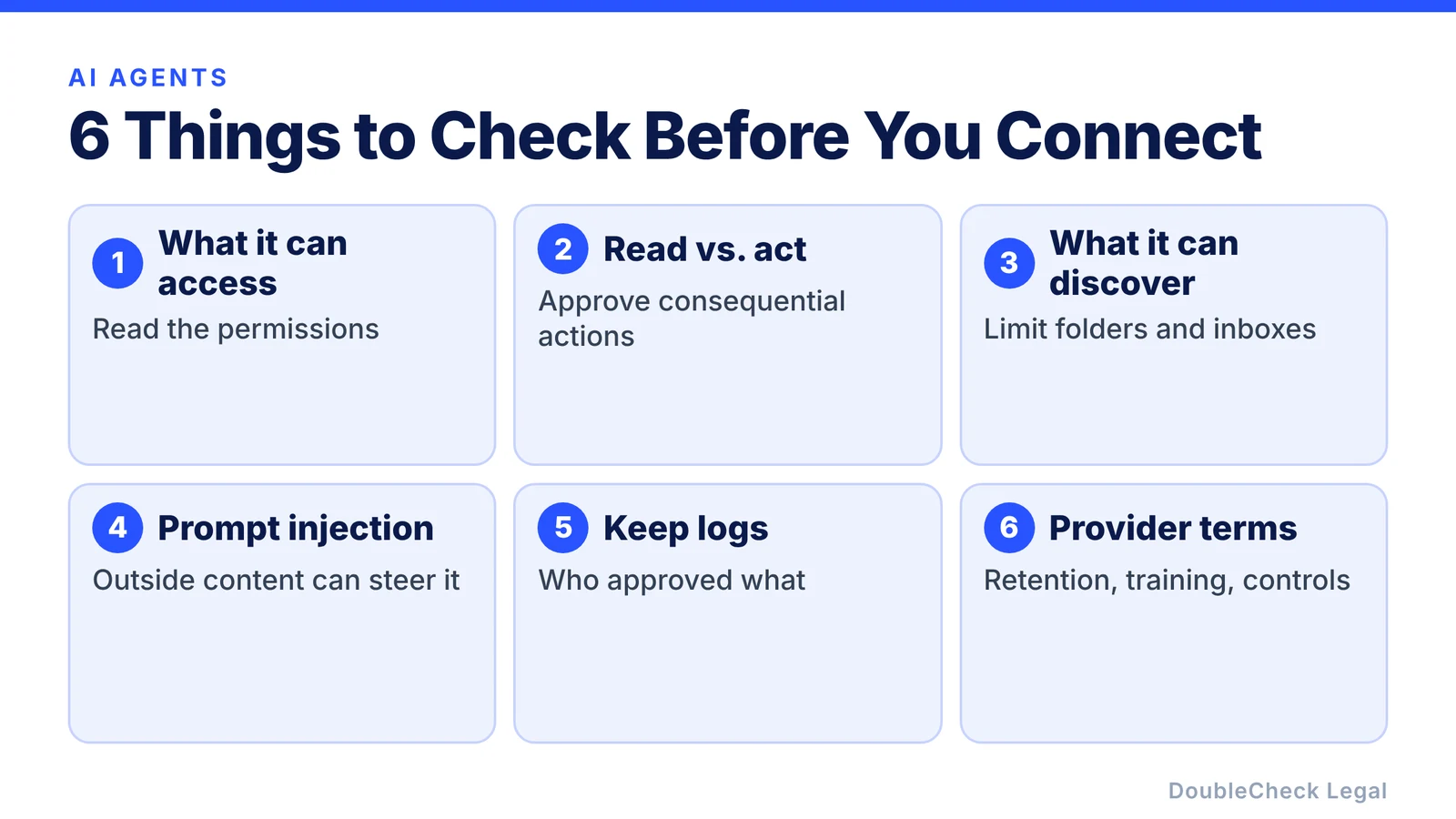
1. Look at exactly what the agent can access
Do not just click Allow. Read the permissions.
- Does the agent need to read emails, or can it also send them?
- Does it need to search files, or can it edit and delete them?
- Does it need one folder, or your entire Drive?
Start with the minimum permission required. Least privilege is a long-standing security principle, and it matters more with agents, because an agent can take actions through every account you connect to it.
2. Separate reading from acting
There is a big difference between:
“Find emails about our customer contract.”
and:
“Email the customer accepting the contract.”
The first retrieves information. The second creates an external business action.
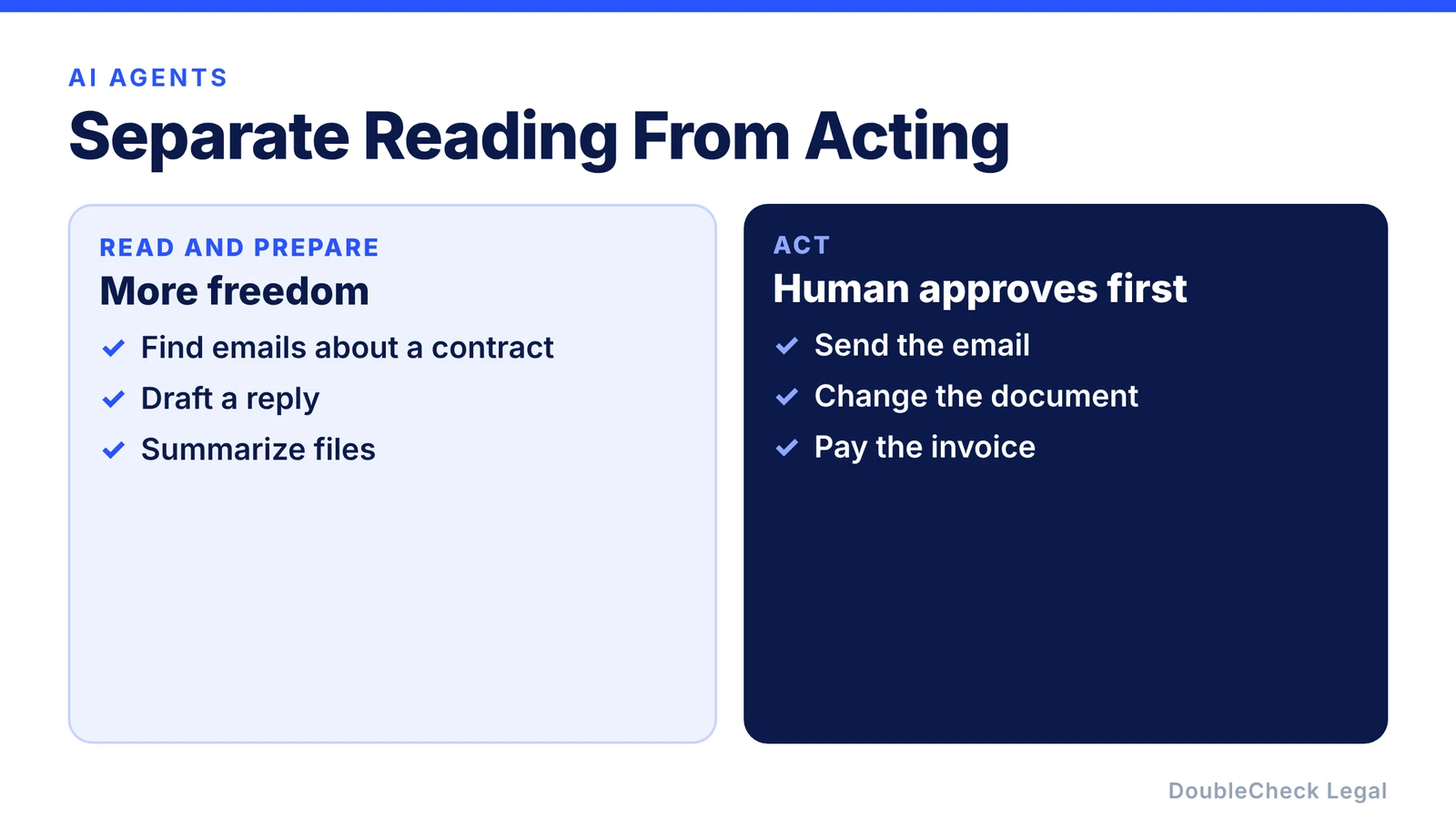
A useful default: let agents read and prepare more freely, and require human approval before consequential actions. For example:
- Agent drafts email → human approves → email sends.
- Agent proposes contract edit → human approves → document changes.
- Agent identifies invoice → human approves → payment occurs.
3. Think about what the agent can accidentally discover
Connecting an agent to Gmail might expose:
- employee discussions,
- legal correspondence,
- passwords or security information,
- customer details,
- financial records,
- confidential negotiations.
Connecting it to Drive might expose thousands of files unrelated to the task. The agent does not need access to everything you can personally access. Create boundaries: a dedicated folder, a limited label, or a separate account with only what the task requires.
4. Understand prompt injection
An agent that reads outside information can run into instructions you never gave it. This is called prompt injection. Malicious instructions can be hidden in a webpage, document, email, or other content the agent reads, and an agent that treats that content as a command might reveal information or take an action you did not intend.
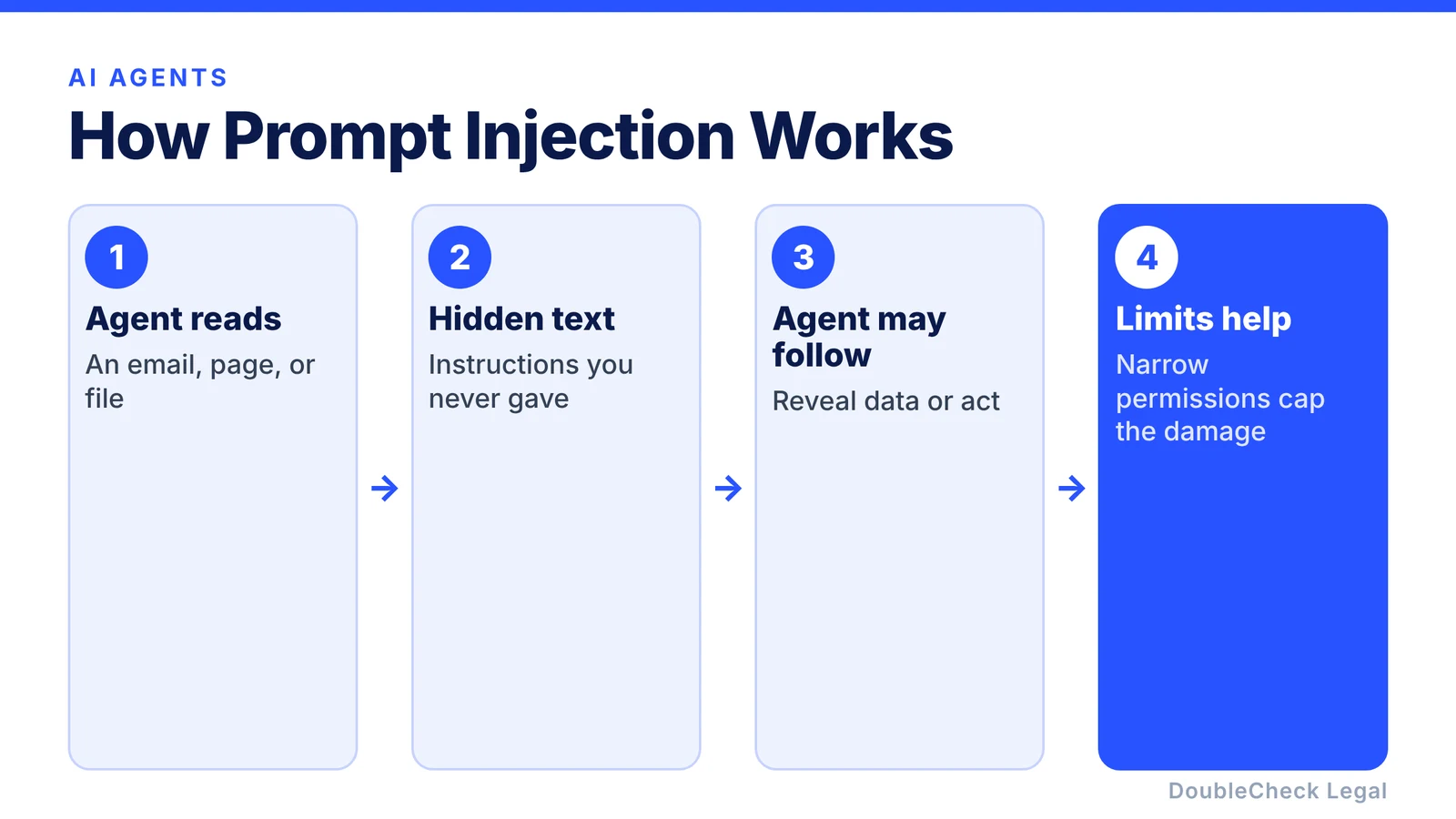
This is another reason not to give every agent unlimited permissions. Even if the AI makes a mistake, its permissions limit how much damage that mistake can do.
5. Keep logs for important actions
If an agent does business-critical work, you should ideally be able to tell:
- what it accessed,
- what instructions it received,
- what action it took,
- who approved it,
- and what changed.
Agent actions increasingly become part of normal business records. For consequential workflows, an audit trail can be extremely useful.
6. Check the provider’s terms and data controls
Before connecting sensitive business systems, understand how the provider handles connected data. Look at:
- retention,
- model training,
- administrator controls,
- access permissions,
- security,
- data deletion,
- and available audit controls.
Consumer and business versions of the same AI product may have different terms or controls. Do not assume they are identical.
A simple rule for AI agents
Think about agent permissions the way you would think about a new employee. You probably would not say:
“Here is access to every email, every customer record, our bank account, all company files, and permission to do whatever you think is best.”
You would start with the access necessary for the job. Do the same with AI.
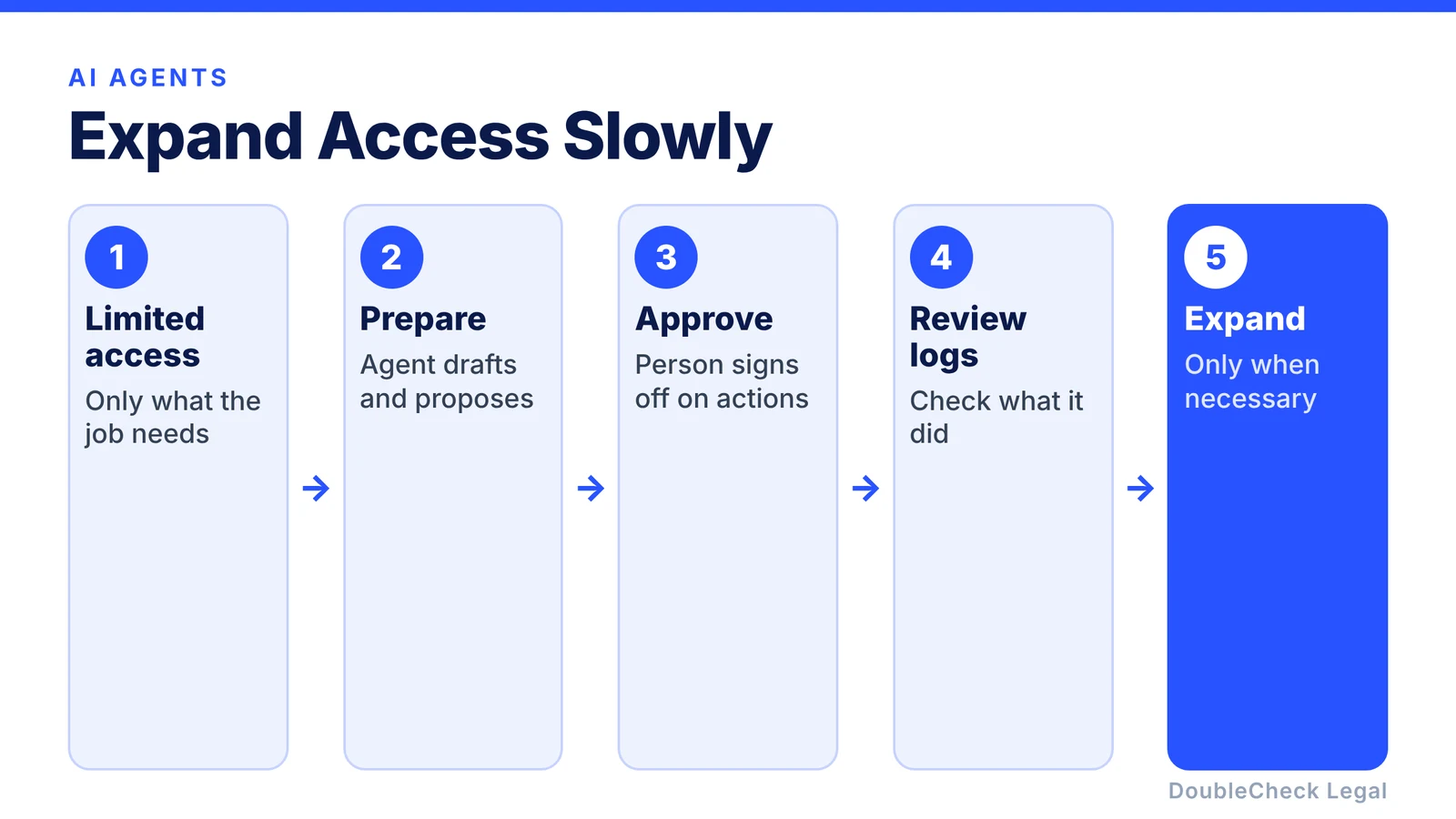
Give limited access → let the agent prepare → require approval for important actions → review logs → expand access only when necessary
If you are still deciding whether you need an agent at all, see AI agent vs chatbot for legal work, and put these rules in writing with our AI policy template for small businesses.
AI agents make verification more important, not less
An ordinary chatbot can give you a bad answer. An agent can potentially give you a bad answer and then act on it. That is why verification matters even more as AI becomes more autonomous.
For legal work, you might let an agent analyze a contract, search relevant sources, organize documents, compare versions, and prepare questions. But before accepting legal terms, sending important communications, or making a consequential decision, add a human checkpoint. We cover this in agentic AI for entrepreneurs’ legal work.
Where DoubleCheck fits
The same principle applies to legal agents: use AI to do more of the research, organization, drafting, and preparation, then verify the result. The more capable agents become, the more important one question gets:
Who checked the work before the business acted on it?
DoubleCheck is built for businesses that start legal work with AI. Bring your question or draft, use an AI-first workflow to understand and verify it, and when professional advice is warranted, you can connect with an independent attorney. Attorneys on DoubleCheck are independent professionals; an attorney-client relationship forms only if an attorney accepts your engagement.
FAQ
Is it safe to connect an AI agent to Gmail?
It can be appropriate depending on the tool, permissions, account, security controls, and information involved. Review exactly what the agent can access and prefer the minimum permissions required for its task.
Should AI agents be able to send emails automatically?
For low-risk workflows that may be appropriate. For consequential business, financial, legal, customer, or personnel communications, human approval before sending is a useful safeguard.
What is prompt injection?
Prompt injection is when outside content contains instructions designed to manipulate an AI system into behaving differently from what its user intended. It matters most when an agent has access to external systems or sensitive data.
General information only. This article is not legal, tax, investment, or accounting advice.