AI Policy Template for Small Businesses: 7 Rules to Put in Writing
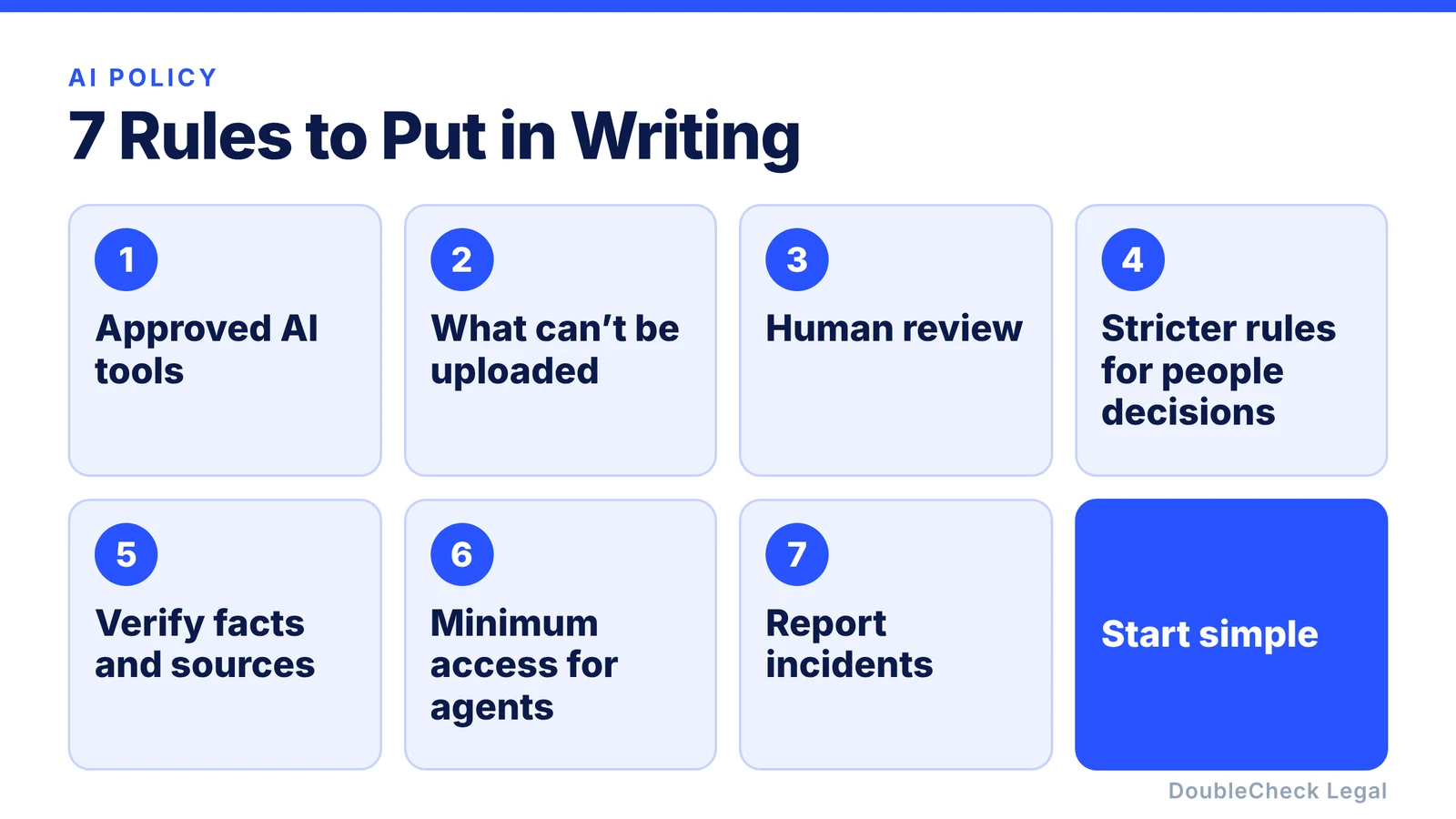
Your employees are probably already using AI. The better question is no longer whether they should, but what the rules are. Here are seven to put in writing, plus a short template.
Key takeaways:
- Write down which AI tools are approved, which need approval, and which are off limits.
- Say exactly what cannot be uploaded, and require human review of important work.
- Add stricter rules for decisions about people, and minimum-access rules for AI agents.
- Give employees one clear way to report mistakes.
Your employees may be using ChatGPT to write emails, Claude to analyze documents, Gemini to summarize files, or AI agents to automate work. You do not necessarily need a 30-page AI governance manual. For many small businesses, a simple AI use policy can set the most important boundaries.
NIST’s AI Risk Management Framework is voluntary, but it is a useful reference for businesses thinking about how to manage AI risk. Here are seven rules to consider.
1. Say which AI tools employees can use
Create a simple approved-tools list so employees do not have to guess.
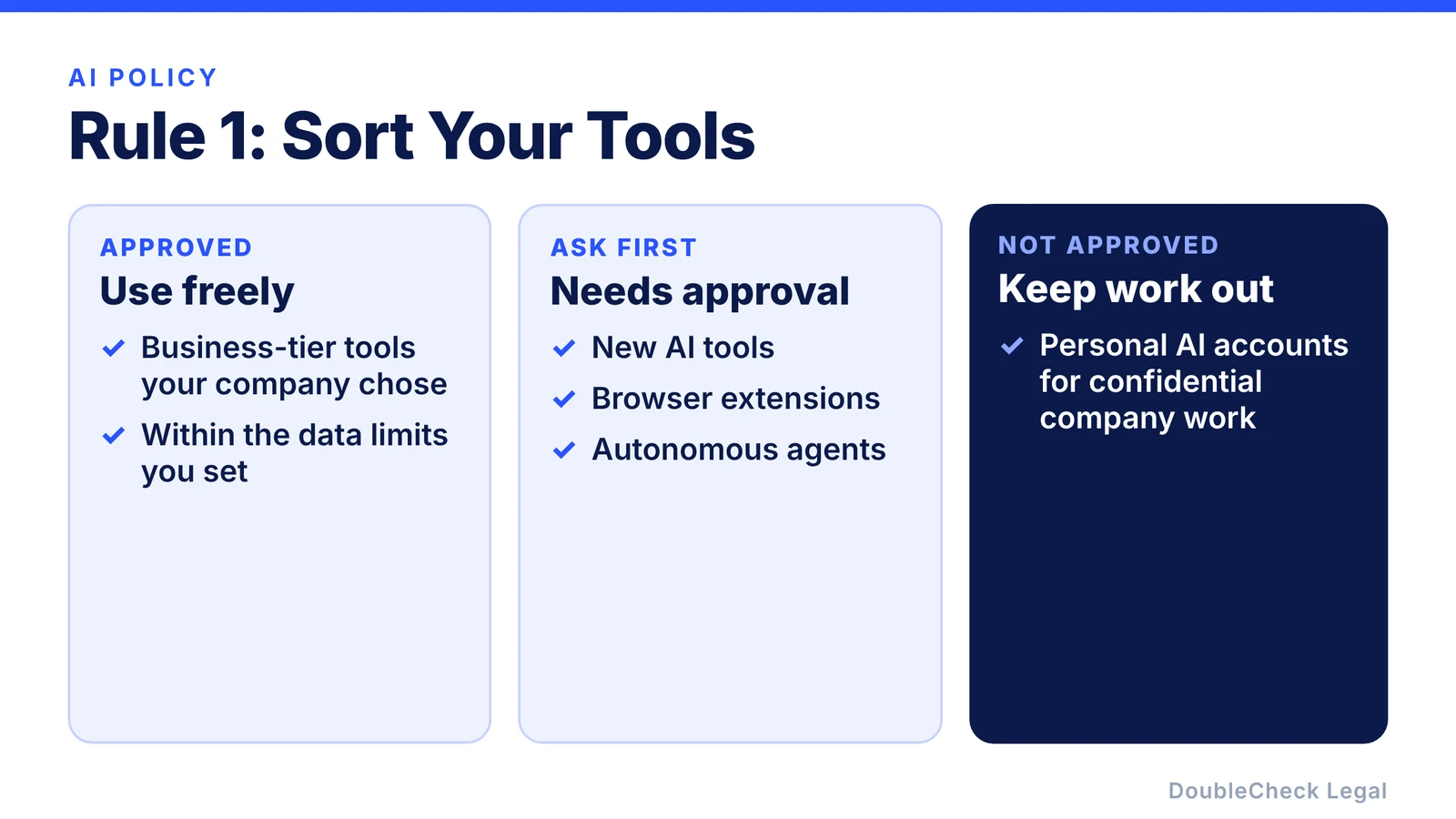
For example:
- Approved: the business-tier AI tools your company has chosen, such as ChatGPT Business, Claude for Work, or Gemini in Google Workspace.
- Approval required: new AI tools, browser extensions, and autonomous agents.
- Not approved: personal AI accounts for confidential company work.
The exact list depends on your company. The point is that the rule is written down. Business and consumer versions of the same product can have different data terms, so check the plan, not just the brand. We compare the major tools in ChatGPT vs Claude vs Gemini for legal work.
2. Define what employees cannot upload
This may be the most important rule. Your policy should say what information cannot go into an unapproved AI system.
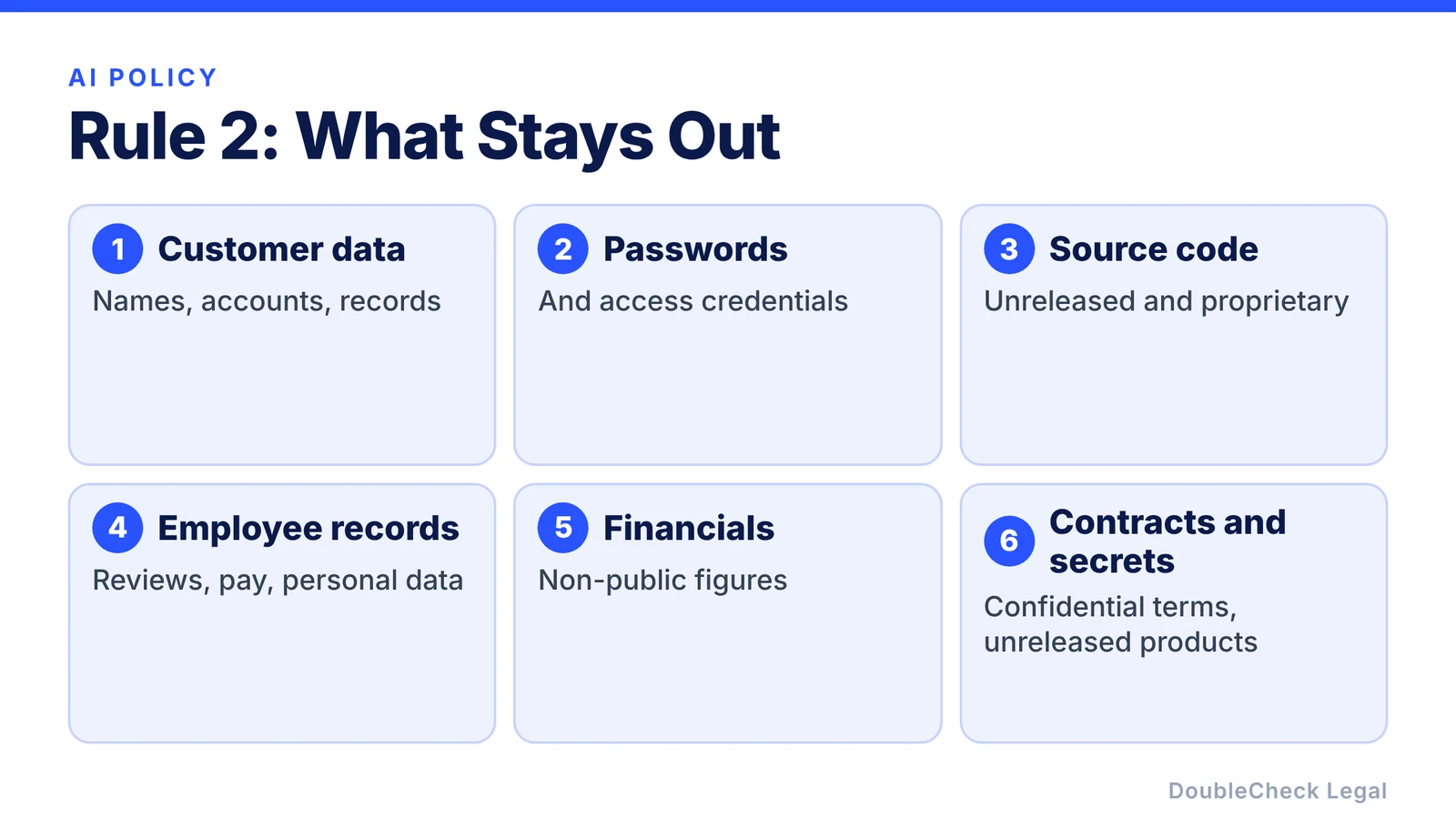
That might include:
- customer information,
- passwords,
- source code,
- employee records,
- financial information,
- trade secrets,
- confidential contracts,
- unreleased products.
Unapproved AI use can create privacy, security, intellectual property, and trade-secret problems for a company, and a rule that names the categories is easier to follow than “use good judgment.” A simple version:
Do not upload confidential, personal, customer, or proprietary company information into an AI tool unless the company has approved that tool for that information.
3. Require human review
AI can create a first draft. It should not automatically become the final output.
For anything sent to customers, employees, regulators, investors, or important business partners, require a person to check it first. The employee using AI stays responsible for the final work.
The same idea scales with risk. For a practical way to decide how much checking a task needs, see how to match review to risk.
4. Create stricter rules for high-risk decisions
Writing a first draft of a marketing email is different from using AI to help decide:
- who gets hired,
- who gets fired,
- who gets a loan,
- how an employee is evaluated,
- whether a customer receives a service,
- or how sensitive personal information is processed.
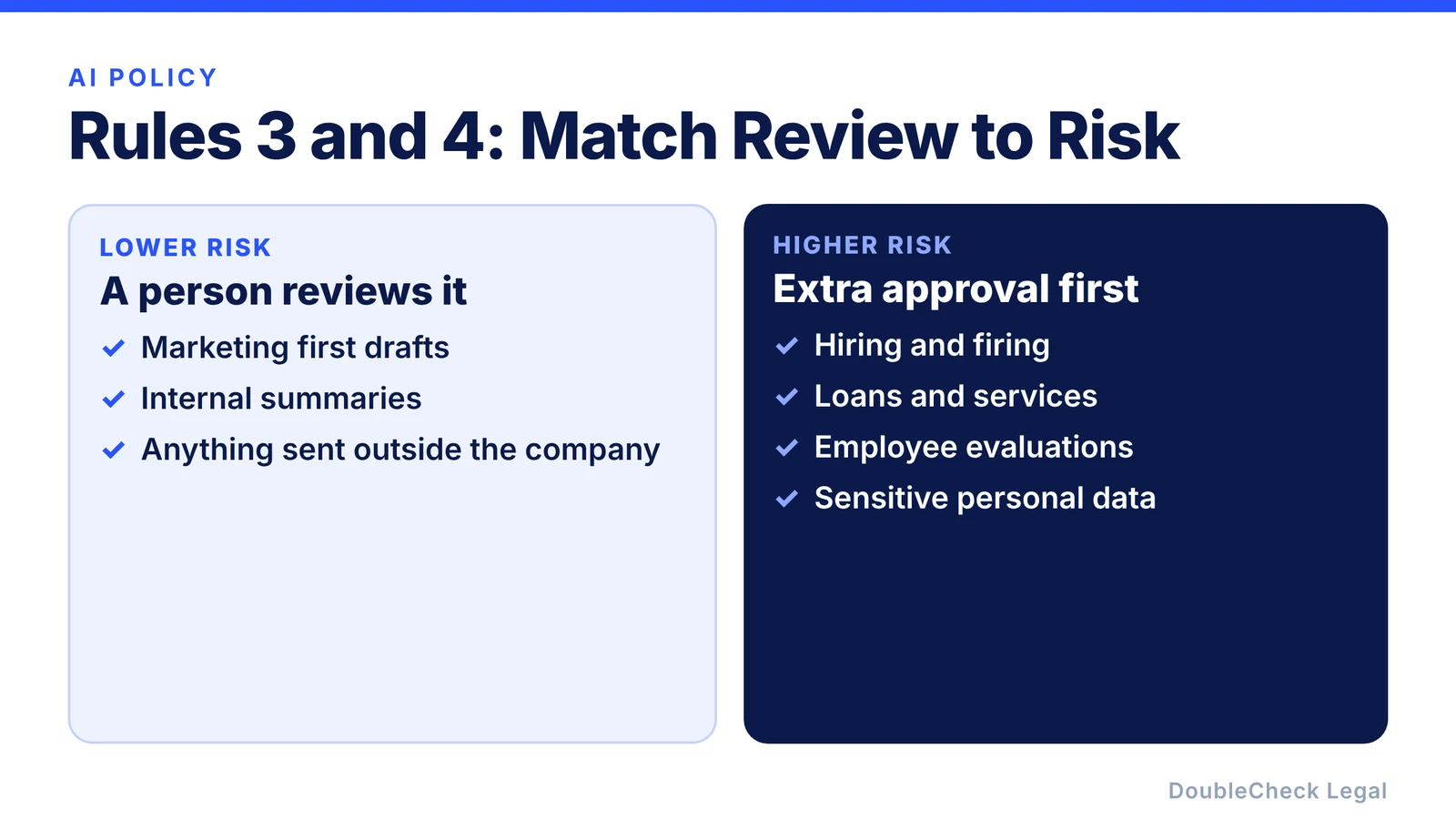
Decisions that affect people may be subject to additional laws depending on where your business operates. Your policy should require extra approval before AI is used for consequential decisions about employees, customers, or applicants, and an attorney is worth involving before you start.
5. Make employees verify facts and sources
If AI says:
“Federal law requires X.”
the employee should not assume it is correct. Ask for the source. Open the source. Make sure it actually supports the statement.
For important legal, financial, regulatory, or customer-facing work, require additional verification. Our step-by-step guide to verifying an AI-generated legal document shows what that looks like in practice.
6. Add rules for AI agents
An AI agent may be able to read email, access Drive, search Slack, update a CRM, call APIs, or take actions in other systems. That is very different from asking ChatGPT a question. If the distinction is new to you, start with AI agent vs chatbot for legal work.
Require approval before an agent gets access to important company systems, and whenever possible:
Give it the minimum access it needs.
Do not give an agent access to your entire company simply because it makes setup easier. Our checklist for connecting an AI agent to Gmail, Slack, or Drive covers what to look at before you click Allow.
7. Tell employees what to do when something goes wrong
Your policy should have one simple instruction:
If you accidentally upload confidential information, allow an AI to take an unintended action, or discover an AI-related security issue, report it immediately.
Employees are more likely to report mistakes quickly if the procedure is obvious and nobody is punished for speaking up.
A very simple AI policy template
Your policy does not have to begin as something complicated. It can start like this:
AI Use Policy
Employees may use company-approved AI tools for appropriate business purposes.
Do not enter confidential, customer, employee, proprietary, or sensitive information into unapproved AI tools.
AI-generated work must be reviewed by a person before it is used for important business decisions or sent externally.
AI may not independently make consequential decisions about employees, customers, finances, legal matters, or other high-risk areas without appropriate approval.
Employees must verify important factual and source-based claims generated by AI.
Connecting AI agents to company accounts, data, or systems requires prior approval.
Any accidental disclosure, unexpected AI action, or other AI-related incident should be reported immediately.
That is not a complete policy for every business. But it gives a small company somewhere useful to start.
Should a lawyer review your AI policy?
For a small company using AI mainly for ordinary productivity, your policy may begin as an operational document.
Professional review becomes more useful if your company operates in a regulated field or uses AI for employment, consumer decisions, sensitive data, financial services, healthcare, or other consequential activities.
You can draft the first version with AI. Then check it: look for missing issues, verify the sources behind any legal claims, and decide whether a qualified attorney should review it. For ways to keep that review focused and affordable, see how to save money on legal work with AI.
Where DoubleCheck fits
DoubleCheck is built for businesses that start legal work with AI. Bring your question or draft, use an AI-first workflow to understand and verify it, and when professional advice is warranted, you can connect with an independent attorney. Attorneys on DoubleCheck are independent professionals; an attorney-client relationship forms only if an attorney accepts your engagement.
AI writes the first draft. Your company defines the rules. Double-check the important parts.
FAQ
Does every company need an AI policy?
There is no single blanket U.S. federal rule requiring every private business to adopt the same AI policy. But a written policy can help a company set clear internal rules around data, approved tools, human review, and AI agents.
How long should an AI policy be?
For a small business, clarity can be more useful than length. A short policy employees understand and follow can be a better starting point than a complicated document nobody reads.
Can I use ChatGPT to draft my company AI policy?
Yes. AI can create a first draft based on your company, tools, data, and use cases. Adapt it to your actual practices and verify any legal or regulatory requirements that apply to your business.
Is the NIST AI Risk Management Framework required?
It is a voluntary framework. Some businesses use it as a reference point for thinking about how to govern and manage AI risk, but a small company does not need to adopt it in full to write a useful policy.
General information only. This article is not legal, tax, investment, or accounting advice.